
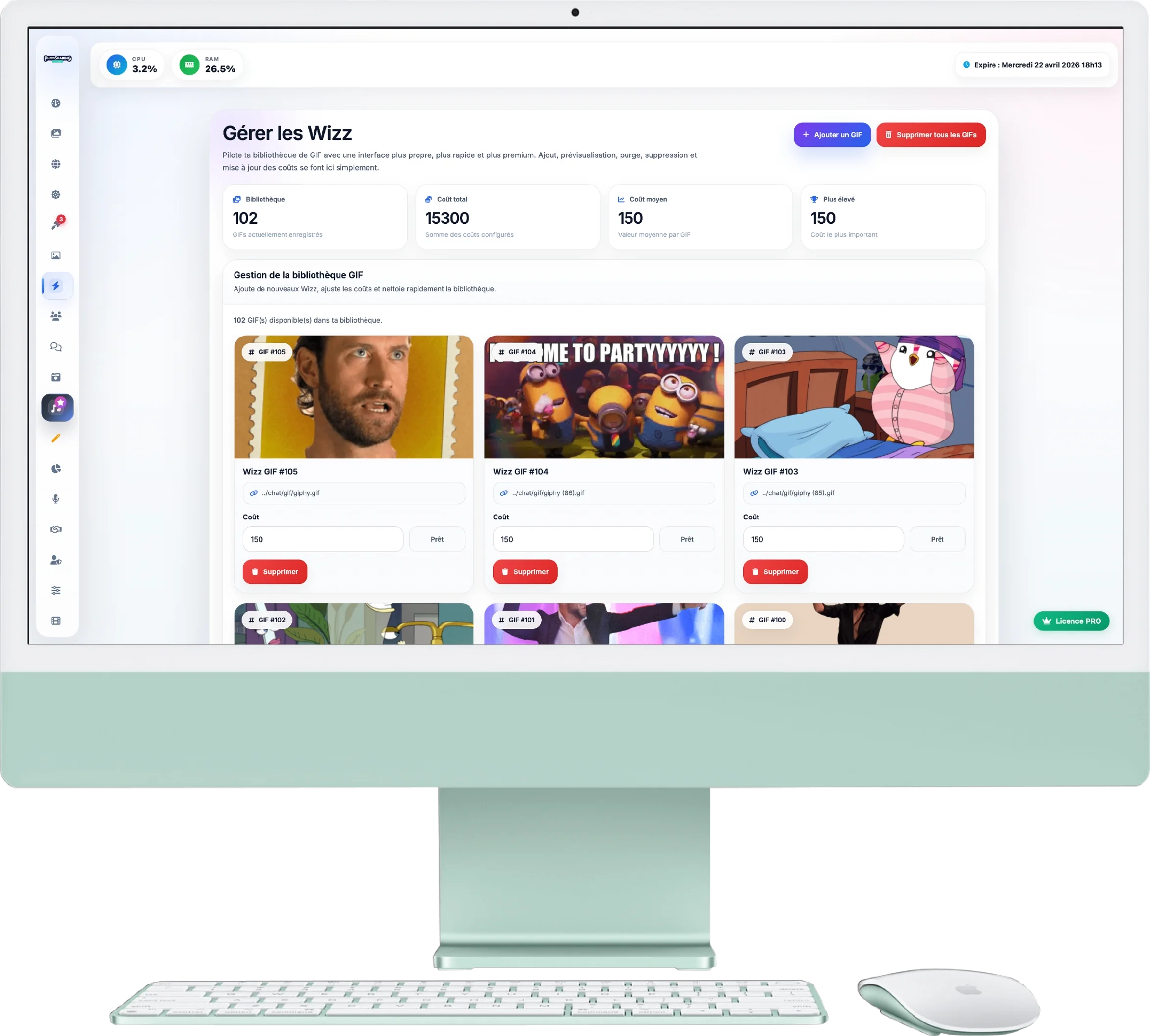
Manage Wizz (GIF Library)
Wizzes are short animations (GIFs) that your guests can project on the giant screen. This is a great way to energize the atmosphere, while potentially generating virtual credits if you set a cost for each animation.
1. Library Statistics
The four counters at the top of the page inform you about the status of your catalog:
- Library : The total number of GIFs currently available to your guests.
- Total & average cost: An estimate of the value of your catalog in credits.
- Higher: The cost of the most expensive GIF in your selection (ideal for VIP or exceptional GIFs).
2. Add or Clear GIFs
The control panel allows you to manage your animations massively or individually:
- Add a GIF: Click the blue button at the top right. You will need to select a file
.giffrom your computer and assign it a cost in credits (put 0 for it to be free). - Delete all GIFs: The red “Purge” button completely empties your library with one click. Ideal for starting from scratch before a new event.
3. Individual Settings
Your catalog is displayed in a grid format. For each GIF, you can:
- Preview: The animation loops in its thumbnail.
- Change price: Change the value in the "Cost" field. The saving is automatic and you will see a small green confirmation ("Saved").
- Delete: If you no longer like an animation, remove it individually using the red trash can icon.
4. Find inspiration
At the bottom of the page, a link redirects you to a bank of GIFs with a transparent background. We strongly advise you to use GIFs transparent : they fit much better on your slideshow without hiding your photos under a big white square!