
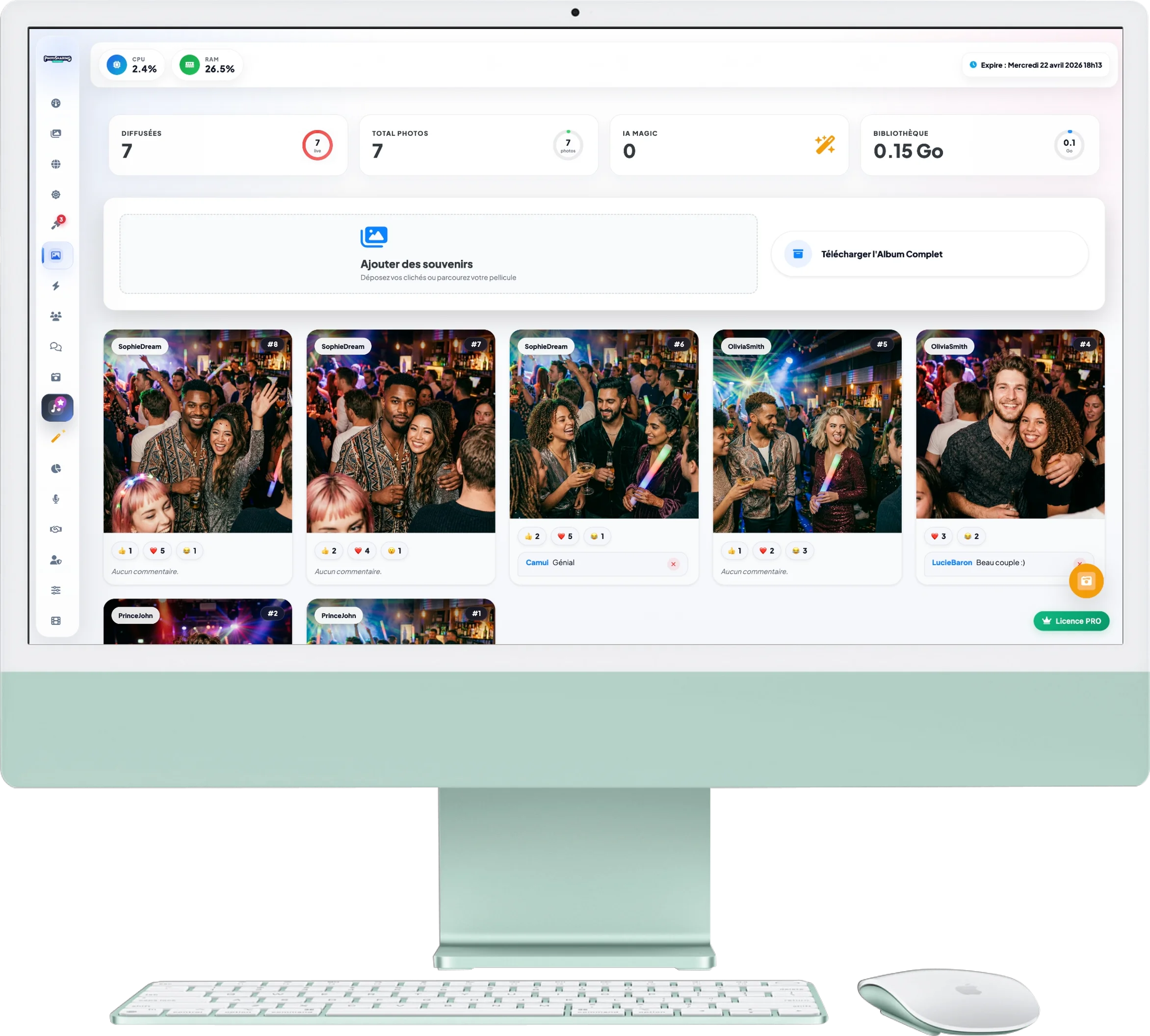
Advanced Gallery Manager
The Photo Gallery is the heart of your memories. This is where all the images captured during the event are stored. You can upload your own photos, view your guests' interactions and download the entire archive.
1. Overview and Storage
At the top of the screen, 4 counters inform you about the status of your gallery:
- Broadcast & Total Photos: Track the exact number of images validated and the grand total kept for your event.
- AI Magic: The number of photos that have been automatically enhanced by our Artificial Intelligence.
- Library (GB): Keep an eye on the storage space your event consumes.
2. Import and Backup
Just below the stats, the central panel offers two main actions:
- Add memories: Drag and drop your own photos (for example, photos from the official photographer) into this area to inject them directly into the guests' slideshow.
- Download the Full Album: With a single click, the system generates a ZIP archive containing all the photos in high quality to save them on your computer.
3. Clichés Management
All your photos appear as elegant cards:
- Information: On each photo, find the nickname of the guest who sent it, as well as a badge AI if it has been retouched.
- Interactions: Directly view the likes, reactions (❤️, 😂, 😮) and comments left by other guests. You can moderate comments by deleting them with one click.
- Quick actions: Hover over an image to bring up options for editing it. Download individually, from thePrint or from the Delete.
4. Quick Action Buttons (Shortcuts)
At the bottom right of your screen are quick action buttons according to your criteria:
- Publish Album: Instantly upload these photos to your “Online Album” for your guests to view after the event.
- Polaroid configuration: Quickly access settings to customize the photo print frame.
- Film Memories: If you have enough photos (90 minimum), generate a dynamic souvenir video of your event.