
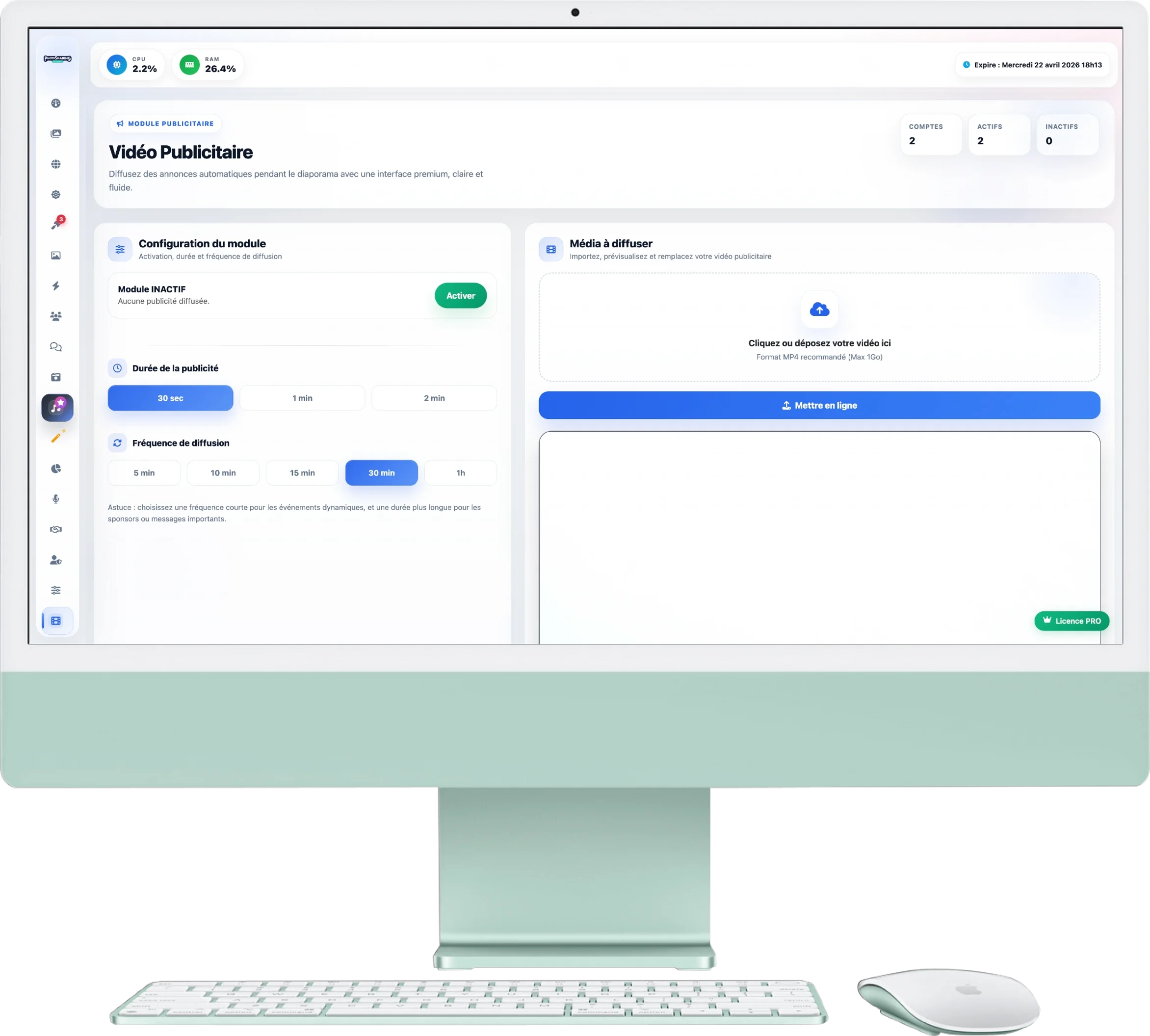
Advertising Video Module
Give visibility to your sponsors, or simply broadcast a souvenir clip! This module allows you to automatically interrupt the photo slideshow to insert a video (in MP4 format).
1. Importing Media
The first step is to import your video from the right column:
- Format: Only the format
.MP4is supported to ensure smoothness on all screens. - Maximum size: You can upload a file of up to 1 GB. Sending is secure with a progress bar.
- Preview: Once loaded, the video appears in the built-in player. You can view it to check the quality of the encoding and sound.
2. Module Setup
In the left column, configure the behavior of your advertising:
- Module status: The large “Activate” button allows you to start broadcasting on the slideshow. As long as it is Inactive, the video will not play.
- Duration of advertising: Define how long the video will remain displayed on the screen (30 sec, 1 min or 2 min) before the photo slideshow takes over automatically.
- Broadcast frequency: Choose the appearance interval. If you choose "30 min", the slideshow will be interrupted every half hour to play your clip.
3. Usage Tips
How to best use this module?
- For professionals: It is the perfect tool for selling advertising space to local partners during major events (trade fairs, galas). Opt for a frequency of 15 minutes.
- For individuals (Marriage): Use this feature to stream a “Thank You” video or the wedding teaser on a light loop every hour.