
Karaoke entertainment
The Karaoke module transforms your event into a real musical stage. The guests choose their songs from their smartphone, and you control the passage of the singers from this complete interface.
1. The Home tab (Live)
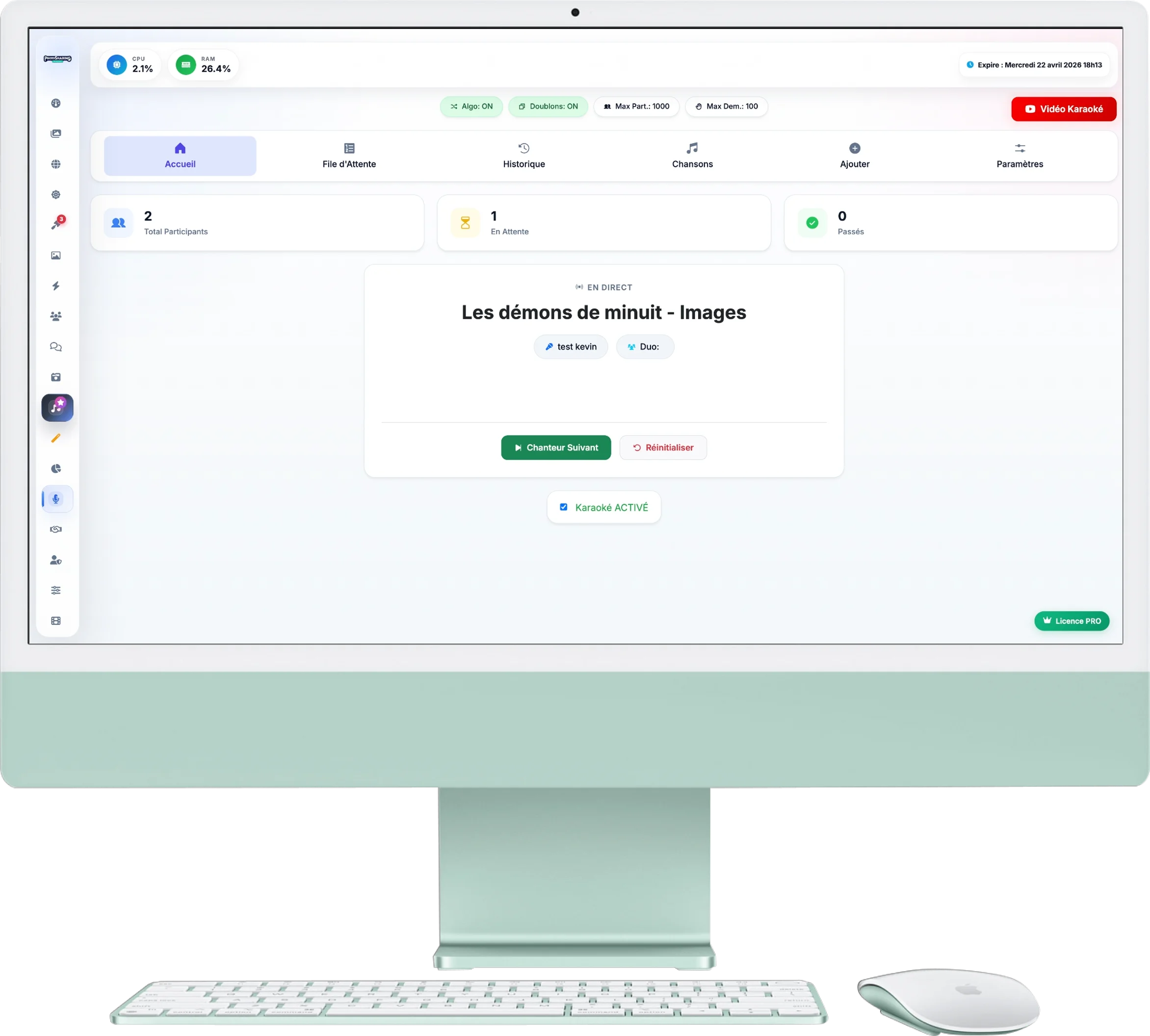
This is your presenter’s desk. With just a glance, you control the evening:
- Statistics: Track the number of registered participants, those waiting and those who have already passed.
- The player: In the centre, the song name and participants’ nicknames appear. Click on Next singer to scroll the queue automatically.
- Media buttons: Two shortcuts appear under the album cover: one to listen to the original (via Spotify) and one to open the “Video Karaoke” version on YouTube.
2. Queue & History
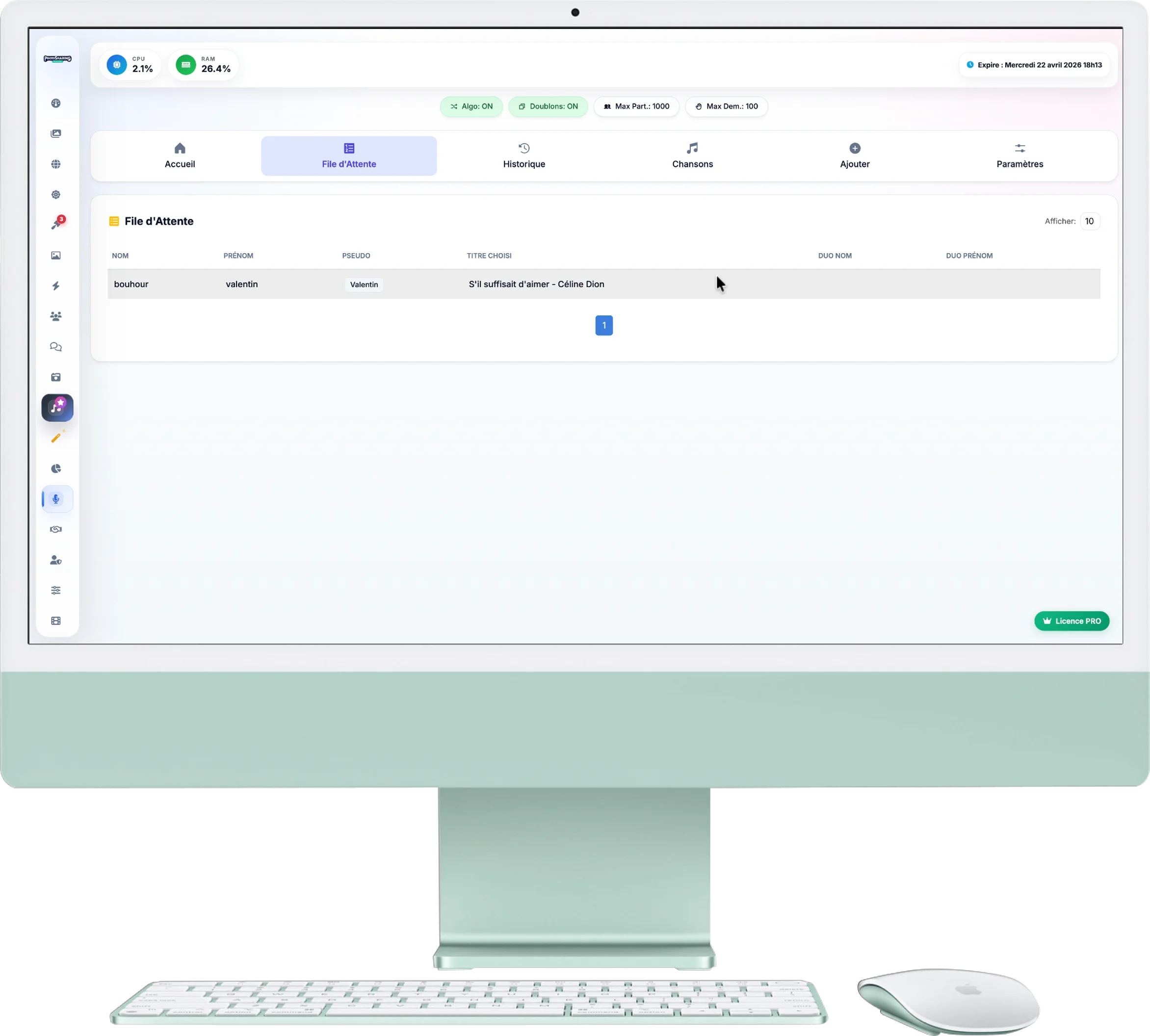
Maintain control over the order of passage:
- Queue: Chronological list of guests who wish to sing. If you have enabled the "Algorithm" option, the system will intelligently shuffle the order to avoid the same people singing in a row.
- History: Find the trace of all the songs that have already been performed during the evening.
3. Song Catalogue
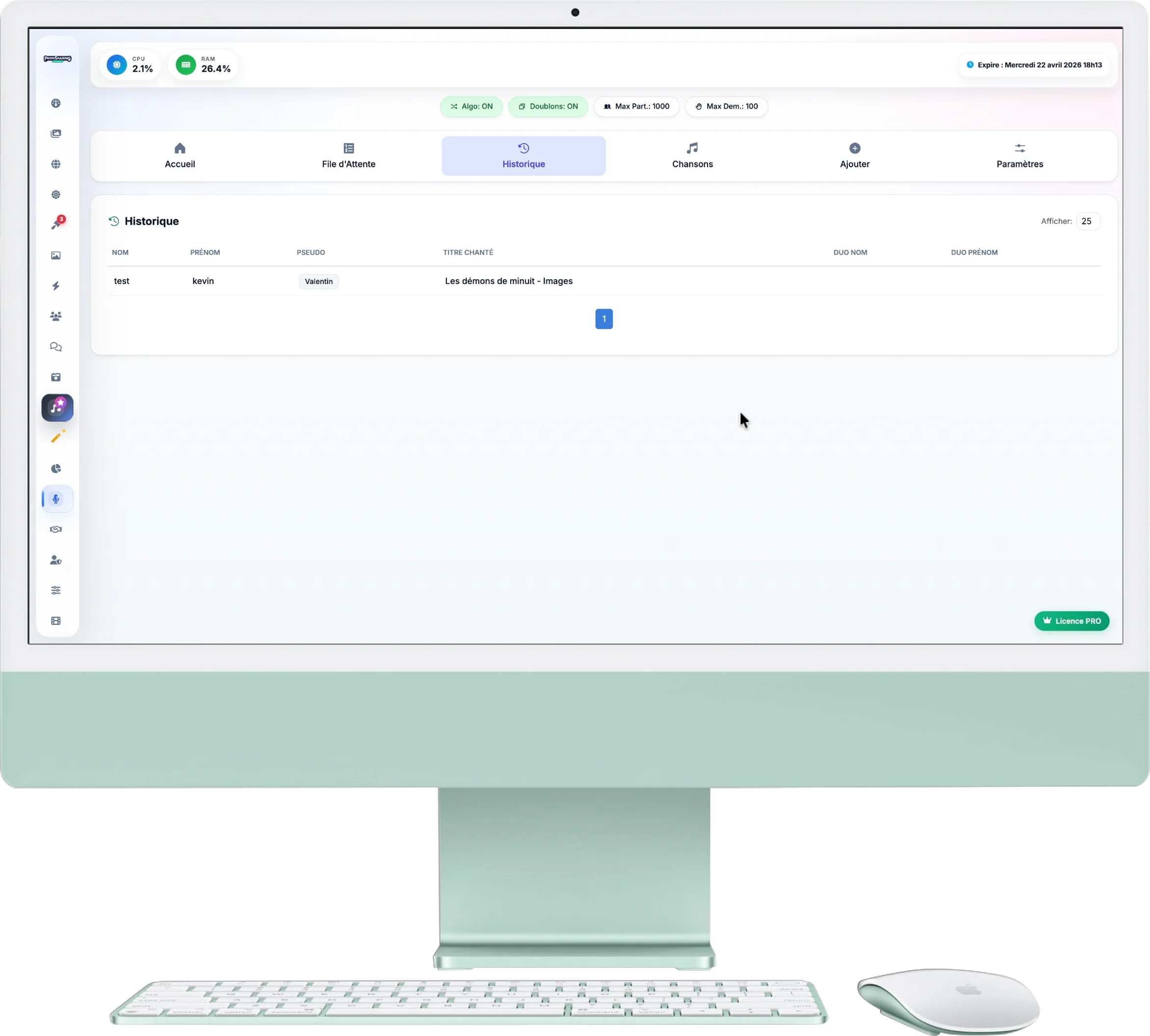
By clicking on "Songs", a modal window opens with your catalog:
- Search: A lightning-fast search engine allows you to check if a title is available.
- Spotify preview: If the title is linked to Spotify, a small integrated player allows you to listen to a 30-second extract directly from the interface.
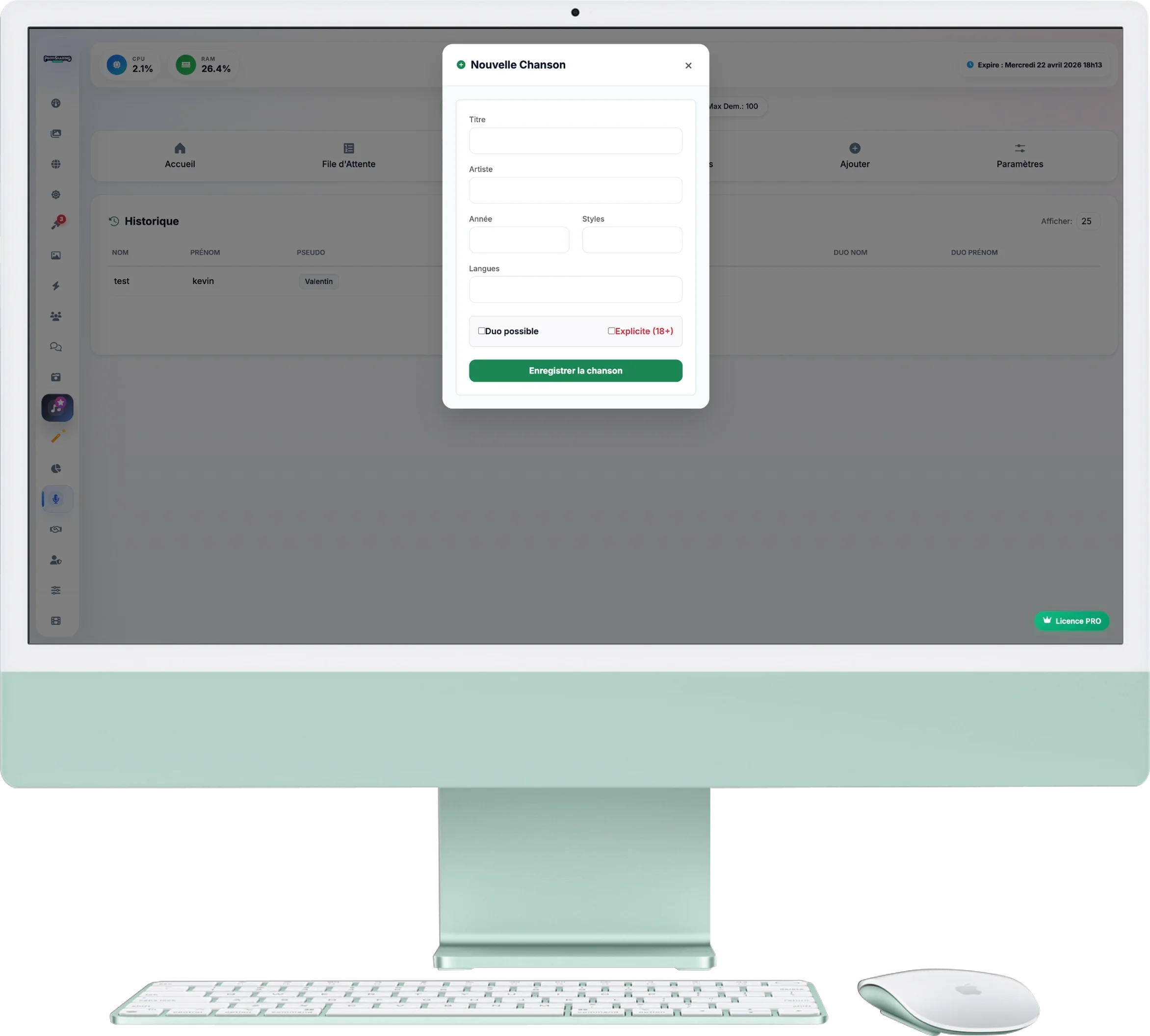
4. Add new titles
Is a song requested by a guest missing? Add it in 10 seconds:
- Enter Title and Artist (required).
- Add optional metadata to make searching easier (Year, Style, Language).
- Options: Check “Duet possible” to authorize two-person registrations, or “Explicit (18+)” to warn guests of the content of the lyrics.
5. Configuration and Rules
The Settings tab allows you to define the rules of the game for your guests:
- Algorithm & Duplicates: Activate these options for automatic queue shuffling and to prevent the same song from being sung twice in the evening.
- Monetization: You can charge a fee for registration (eg: 50 points/credits) if you use the platform's virtual economy.
- Limits: Block the queue if it becomes too long (eg: Max 100 participants) or limit the microphone desires of the same participant (eg: Max 2 songs per person).