
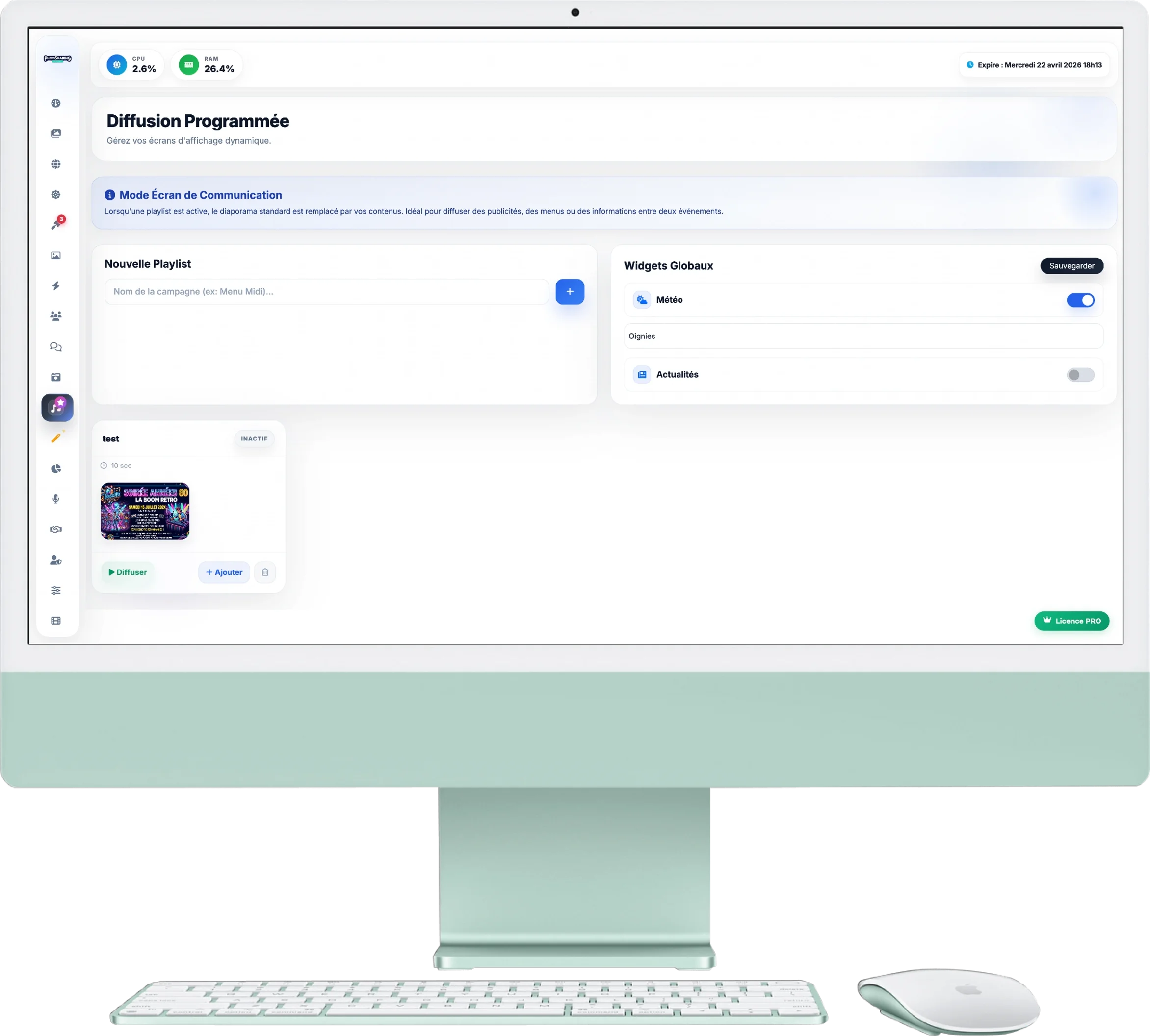
Scheduled Broadcast
This module transforms PhotoSharing into a real dynamic display tool (Digital Signage). Ideal for professionals (bars, restaurants, lounges) who wish to use their screens to broadcast menus, promotions or information between two events.
1. Communication Screen Mode
The principle is simple: when a playlist is active, it completely replaces the standard interactive slideshow.
- Your guests no longer see the photos sent live, but only the media loop you have scheduled.
- To return to the classic PhotoSharing mode, simply click the button Stop from the active playlist.
2. Creating Playlists
You can create as many playlists as you want (e.g. “Lunch Menu”, “80s Evening”, “Promotions”):
- Add media: Click '+ Add' on a playlist card. You can import Images or from the Videos (MP4).
- Display duration: For images, you define the appearance time on the screen (eg: 10 seconds). For videos, the system automatically detects the file duration.
- Organisation: Change the order in which your media appears by simply dragging and dropping with the mouse.
3. Quick Tools & Global Widgets
Enrich your screen display with useful information:
- Widgets: In the box at the top right, you can overlay your slideshow with practical widgets, such as the Weather report (by entering the name of your city) or a bannerNews (RSS feed).
- Preview: The "Eye" icon on your media allows you to check the exact rendering of the image or video before releasing it to the public.