
PhotoSharing Jukebox
The Jukebox module is an awesome interactive animation! It allows your guests to browse your music library from their smartphone and suggest the next tracks to play in the room.
1. Overview & Legal Reminder
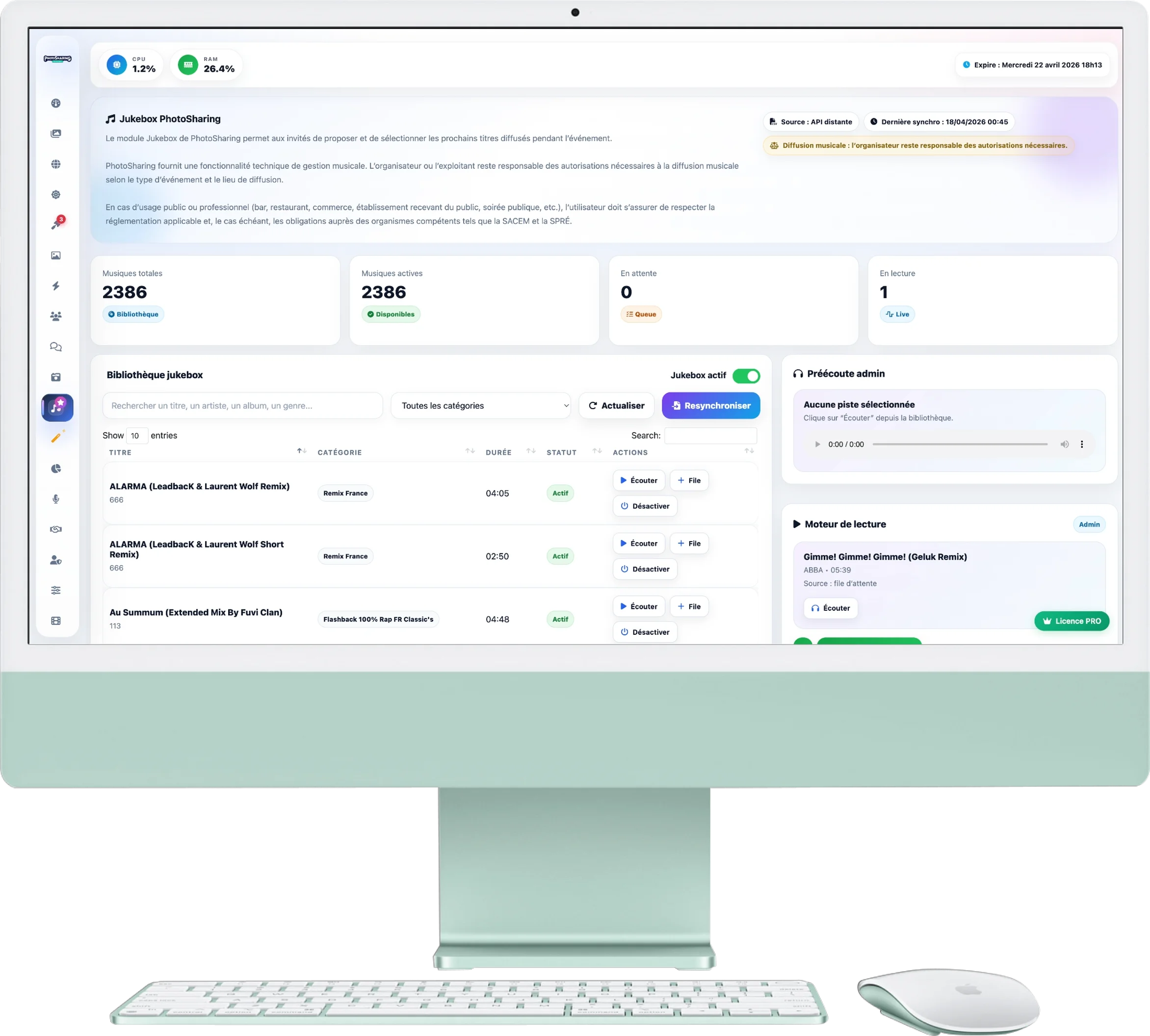
At the top of the page, find your music statistics:
- Live tracking: See the number of total songs, those that are active (available to guests), the songs waiting in the queue, and the song currently playing.
- Important (Copyright): A yellow insert reminds you that the organizer remains responsible for paying music broadcasting rights (SACEM, SPRÉ) if the event takes place in an establishment open to the public.
2. Library and Catalog
Manage the music that your guests have the right to request:
- Sync: Click on Resync to update the list of available music.
- Active jukebox button: This small switch allows you to open or close access to the Jukebox on guest phones.
- Actions on titles: For each music track, you canListen, add it manually to the Queue, or the Disable (it will be hidden from guests without being deleted from your catalog).
3. Playback & Preview Engine
The right column is your personal DJ control:
- Admin preview: A private audio player. When you click "Listen" in the library, the music plays here on your computer/tablet without guests hearing it. Useful for checking a title before validating it!
- Playback engine: He is the one who manages what the public hears. Click on Next music to move the evening forward. If there are requested titles in the "Queue", it will play them in priority. Otherwise, it will intelligently choose random music from your "Active" tracks.
- Queue: List and delete (moderate) music requests sent by guests before they are played.