
Live Chat
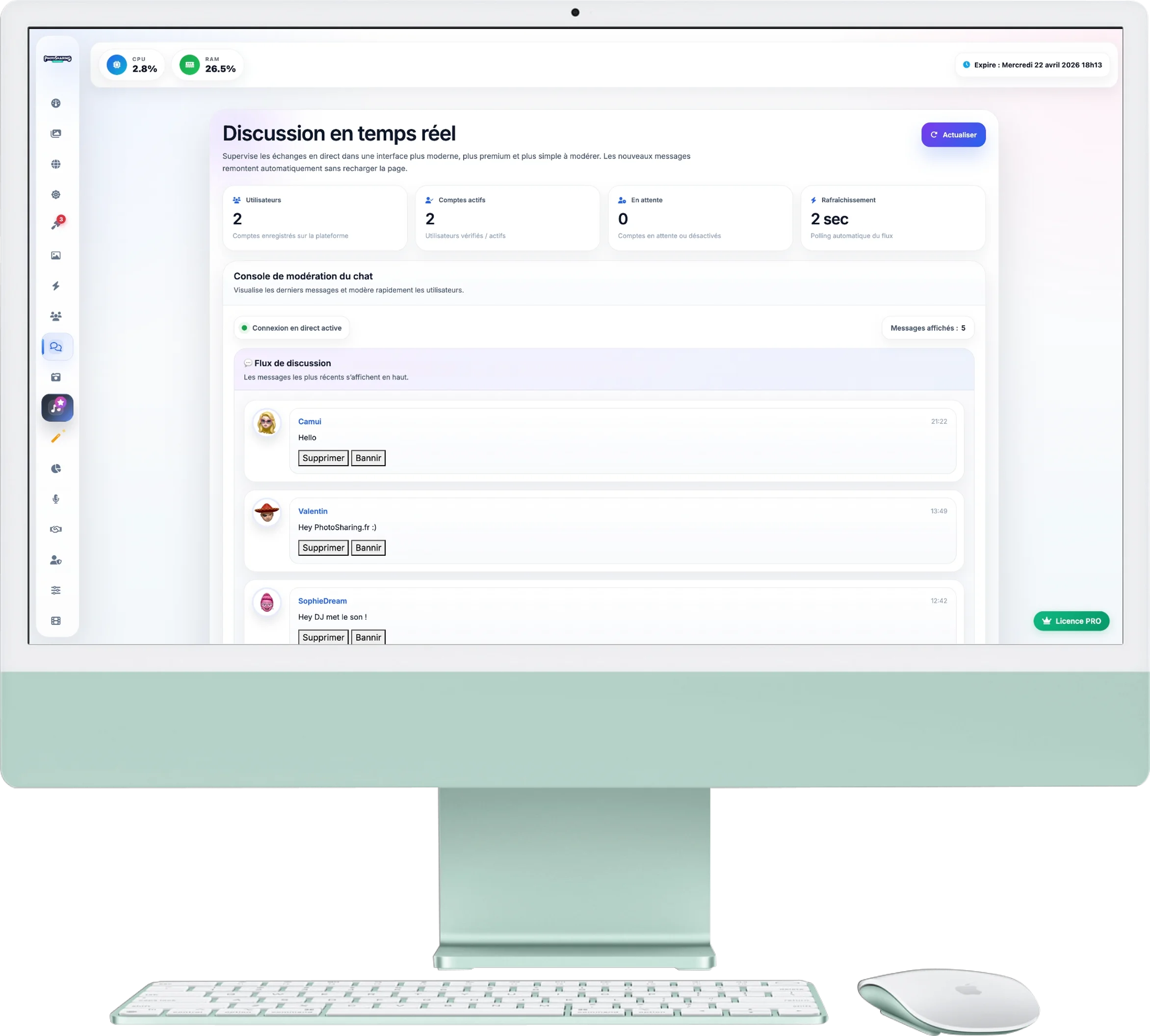
This page is your control center dedicated to text messages sent by your guests. It was designed to react extremely quickly to allow you to moderate discussions projected on the giant screen.
1. Ultra-Fast Synchronization
The chat module does not require any action on your part to display new messages:
- Automatic update: New messages appear quickly in your checklist, without manual action.
- Refresh button: At the top right, the blue button allows you to force the stream to be reloaded in case of doubt or network micro-outage.
2. User Statistics
The blocks at the top of the screen remind you of the status of your guest list (people likely to participate in the chat):
- The total number of registered users.
- The number of active accounts (those who have validated their registration).
- The number of accounts that are pending or that you have previously blocked.
3. Quick Moderation
The chat feed displays messages from newest (top) to oldest (bottom). On each message, you have two radical actions:
- Delete button: Instantly removes the message from your event and makes it disappear from the giant screen (if it was still displayed). The message animates and disappears from your checklist.
- Ban button: If a guest exhibits repeated inappropriate behavior, this button allows you to block them permanently. The user will no longer be able to send messages or photos, and a green confirmation message ("User Banned") will inform you of the success of the operation.