
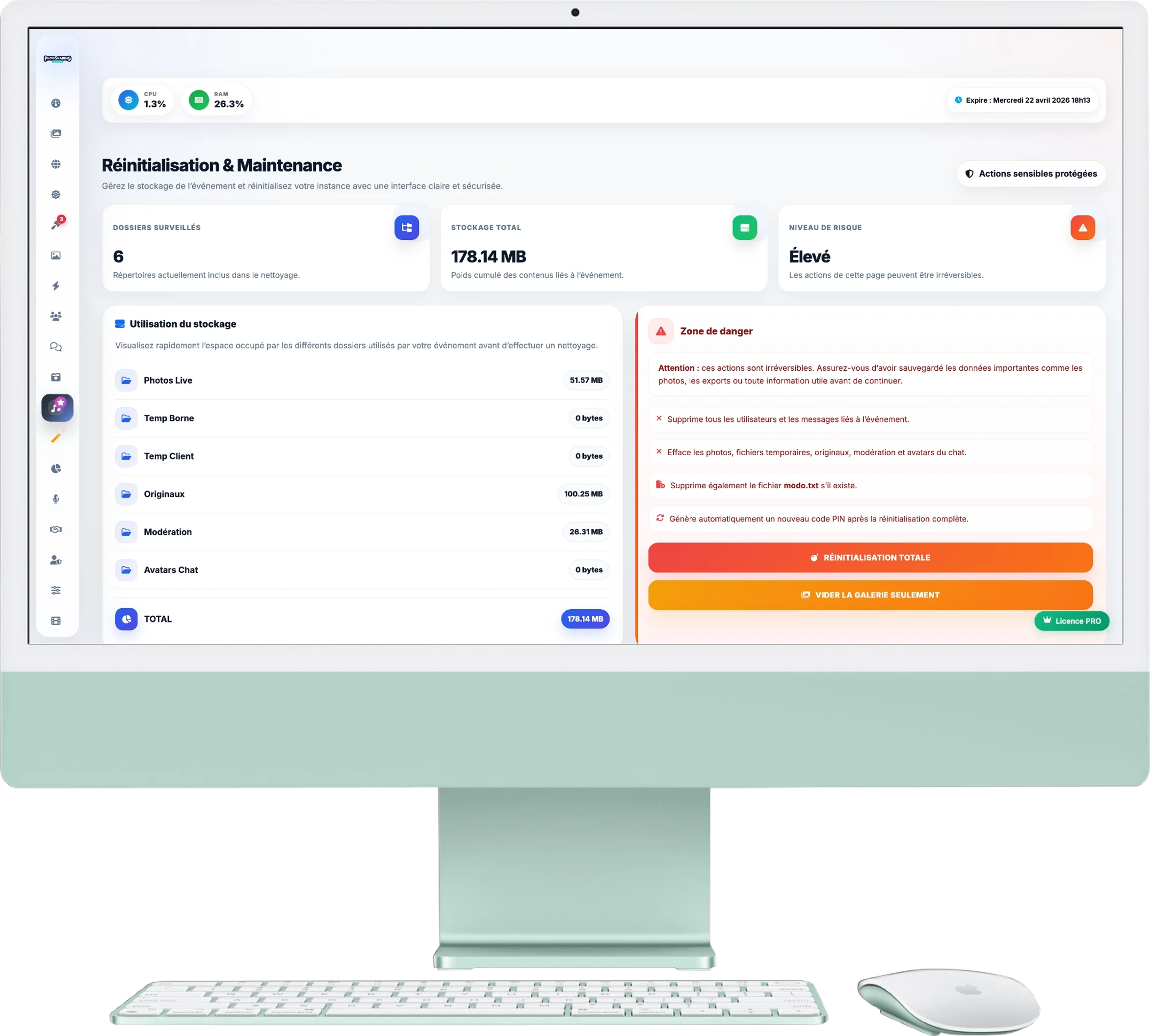
Reset & Maintenance
Is your event over? It's time to clean up! This page allows you to purge your instance and reset the application to welcome new guests properly.
1. Storage Analysis
Before deleting everything, you can check what is taking up space in your space:
- Overview: The counters at the top tell you the cumulative total weight of your data.
- Details by category: On the left column, you see the space occupied by live photos, terminal, original files or moderation. This is ideal for ensuring that you don't delete a large archive by mistake.
2. Danger Zone (Irreversible Actions)
In the right column (marked in red), two cleaning options are available to you:
- Empty gallery only (Orange button): Deletes only photos. Your registered users, settings and chat history are preserved. Perfect for testing before the big day!
- Total reset (Red button): Erase absolutely everything (photos, users, messages, karaoke history). A new PIN code is generated automatically. Your application is returned to "ex-factory" state, ready for a new event.
Safety recommendation: Before any total reset, remember to go to “Photo Gallery” to download the ZIP archive of your memories and to “Users” to export your contact list (CSV).