
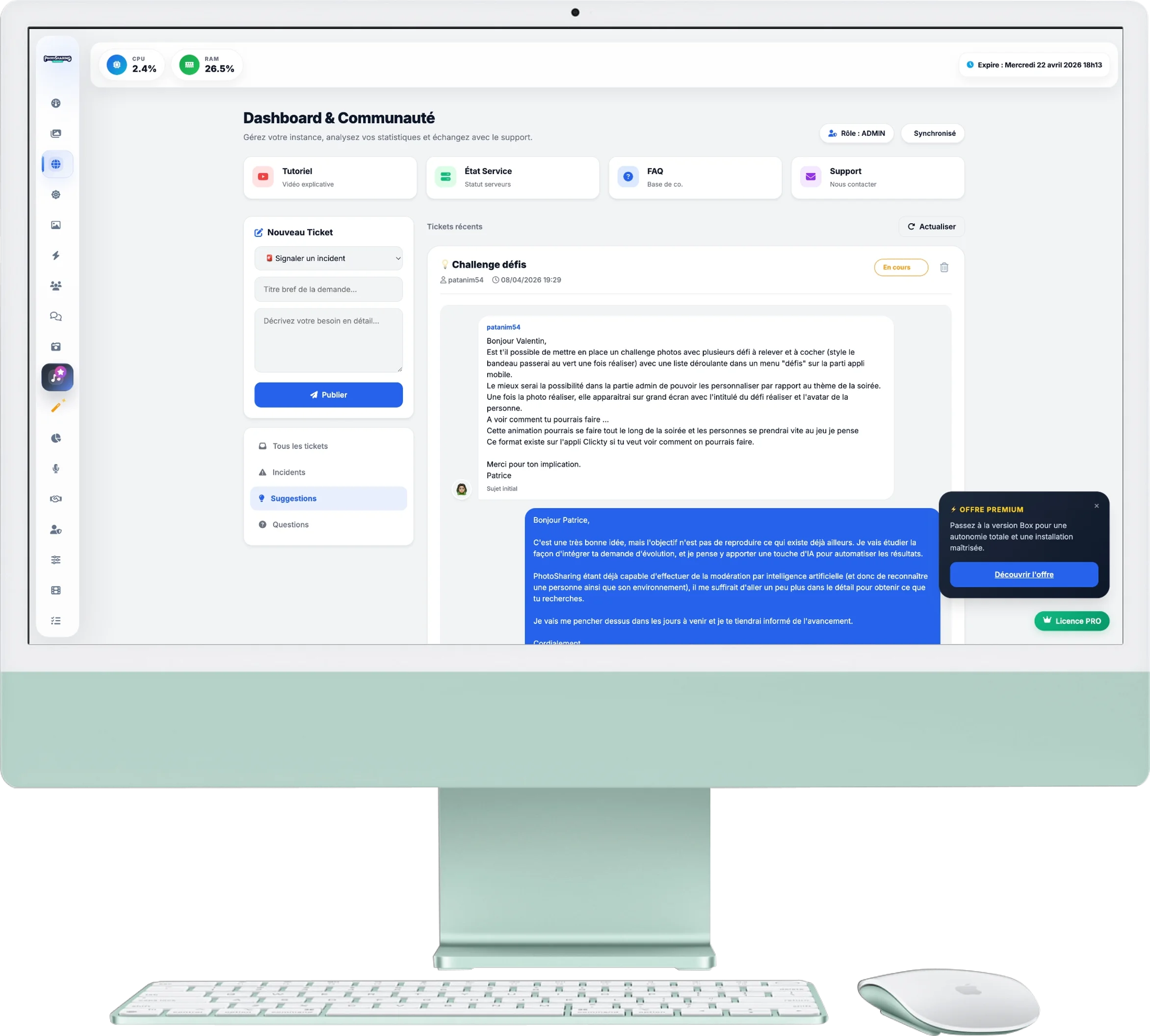
Community & Support Area
The Community area is your direct link to the PhotoSharing team and other event organizers. This is where you can find help, report a problem, or suggest new ideas to improve the app.
1. Support Shortcuts
At the top of the page, 4 buttons give you quick access to essential resources:
- Tutorial: Access explanatory videos (like this one!).
- Service Status: Check in real time if the service is functioning normally.
- FAQ: Check out the Frequently Asked Questions to find immediate answers.
- Support: Send us a direct email if you have a specific need.
2. Create a New Ticket
On the left column, you have a form to interact with the community and our team:
- Request type: Choose between 🚨 Incident, 💡 Suggestion or ❓ Question.
- Title & Description: Be as specific as possible so that the support team (or another user) can respond to you effectively.
3. The News Feed (Forum)
The central area displays recent tickets published by all users of the platform:
- Filters: Use the buttons above (All, Incidents, Suggestions, Questions) to sort the view as needed.
- Interactions: You can "Like" a ticket that seems relevant to you or add a comment to share your experience with the community.
- Official responses: The PhotoSharing team intervenes directly on these tickets to provide solutions and technical follow-ups (these official messages are highlighted).
4. Account Synchronization
At the top right, badges tell you your current role and your sync status. Once connected, you can publish, respond and monitor your exchanges with complete transparency.