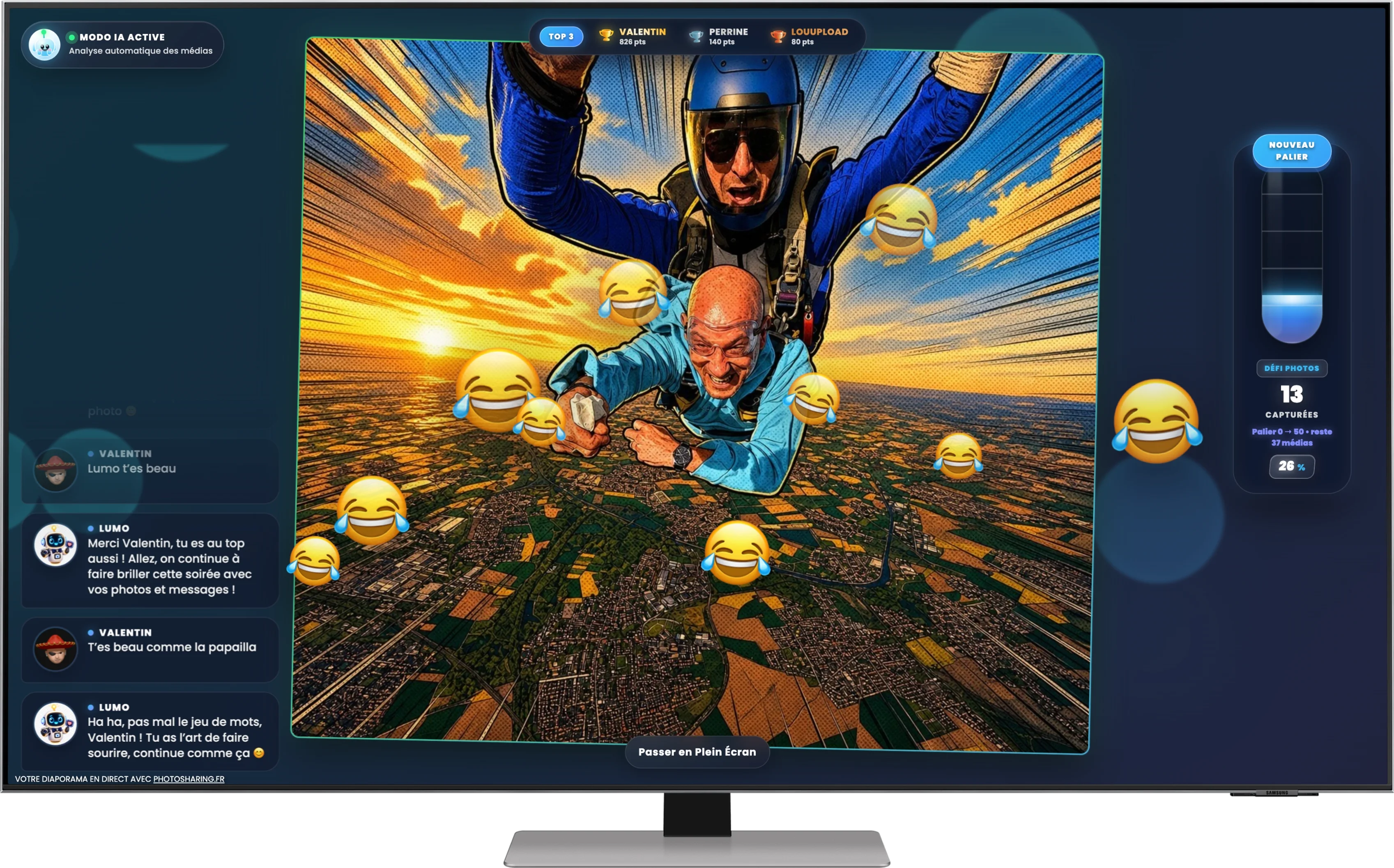
Make your wedding unforgettable with PhotoSharing.fr’s interactive photo guestbook solution. Engage your guests with real-time photo sharing via QR code and create a lasting digital album.
What Is a Wedding Photo Guestbook?
A wedding photo guestbook is a modern, interactive way for couples to capture memorable moments shared by their guests. Instead of a traditional pen-and-paper guestbook, it allows guests to contribute photos, videos, and messages, creating a living keepsake filled with personal memories.
Why Choose an Interactive Photo Guestbook?
Thanks to innovations like PhotoSharing.fr, wedding photo guestbooks have evolved beyond static books. By integrating a live, digital photo sharing platform, you can transform your wedding reception into an engaging, tech-savvy experience for everyone.
- Real-time participation: Guests upload photos, GIFs, videos, and messages instantly via QR code, no app download required.
- Live slideshow: All contributions appear live on large screens or projectors, animating the celebration.
- Easy access: Using just their smartphones, guests quickly join in without complicated setups.
- Customizable experience: Colors, logos, and backgrounds can reflect your wedding theme for a cohesive feel.
- Photo booth integration: Tablets can serve as standalone photobooths, with fun multi-shot animations and filters.
- Centralized memories: After the event, all photos and messages are stored in a shareable online gallery and album.
How Does PhotoSharing.fr Work for Your Wedding Guestbook?
The system uses a simple but powerful setup:
- Set up a PhotoSharing instance: Create your event on PhotoSharing.fr’s platform. There’s even a free demo to test it before your big day.
- Generate a QR code: Display it prominently at your venue — guests simply scan it with their phones.
- Guests upload their moments: They send photos, videos, GIFs, and notes through a user-friendly web interface.
- Live display and interaction: Uploads appear on an event screen, creating a dynamic slideshow with chat, reactions, and animations.
- Organiser control: Manage content moderation, enable features like karaoke or challenges, and keep the vibe fun and respectful.
- Download memories: After your wedding, download all shared media easily for personal keepsakes.
Using a Tablet as a Photobooth Guestbook
PhotoSharing.fr also allows you to turn a tablet into a photobooth station, with no complex installation needed:
- Guests take selfies or group photos using the tablet.
- Capture four-frame animations or boomerangs for extra fun.
- Apply filters and AI enhancements instantly.
- Photos can join the main slideshow automatically or be moderated before sharing.
Advantages Over Traditional Guestbooks
Compared to paper guestbooks, an interactive photo guestbook delivers more value:
- Engagement: Guests actively participate throughout the event, not just at one moment.
- Inclusivity: Remote guests can also join by accessing the QR code link.
- Immersive atmosphere: Real-time display fosters collective excitement and conversation.
- Longevity: Digital albums are easily stored, shared, and revisited anytime.
Tips for a Successful Photo Guestbook
Frequently Asked Questions
Do guests need to install an app?
No. Guests simply scan a QR code and upload photos via their web browser — no downloads or installations required.
Can I moderate photos before they appear?
Yes. The organizer controls content moderation manually or via intelligent filters to ensure appropriate content only.
Is there a limit on how many photos guests can send?
PhotoSharing.fr supports unlimited photo uploads during an active event instance, perfect for large weddings.
Can the platform be customized for my wedding?
Absolutely. With the PRO license, you can personalize logos, backgrounds, and color schemes to match your wedding branding.
Get Started Today
Creating an unforgettable wedding photo guestbook is simple with PhotoSharing.fr. Test the free demo, plan your interactive slideshow, and let your guests contribute to a beautiful digital memory that lasts a lifetime.
FAQ
Do guests need to install any app to participate?
No, guests just scan a QR code and upload photos via their smartphone browser with no downloads or installations required.
Can I moderate the photos before they appear on the live slideshow?
Yes, PhotoSharing.fr provides manual and AI-powered moderation features so you control what gets shown.
Is there a limit to how many photos can be uploaded?
There are no limits on photo uploads during an active PhotoSharing instance, even with many guests connected simultaneously.
Can PhotoSharing.fr be customized to match my wedding theme?
With the PRO license, you can personalize the logo, background, and display to fit your wedding’s branding perfectly.
Create an event
Un QR Code, des invités qui participent, et un diaporama qui donne vie à votre événement en direct.