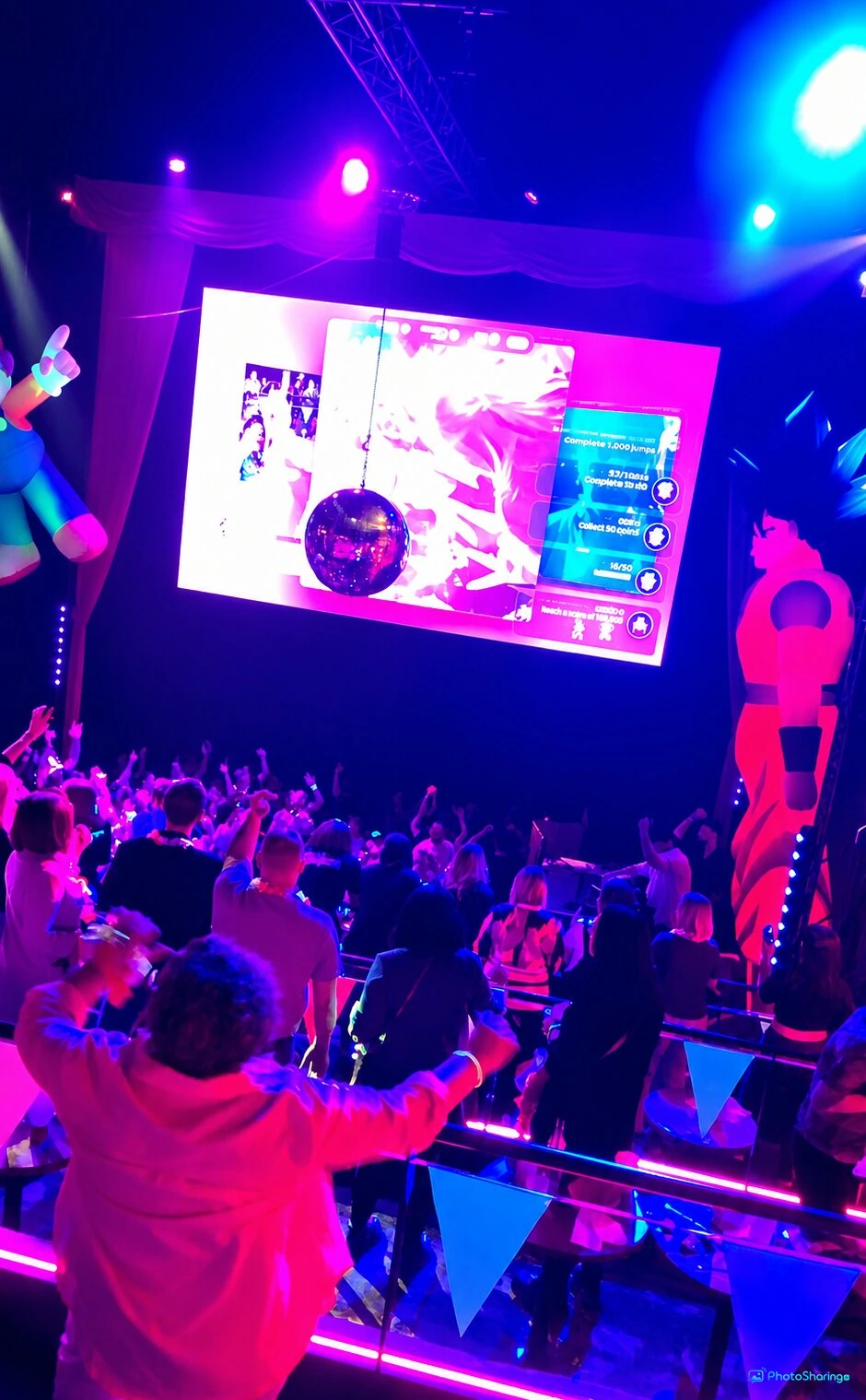
Discover how QR code photo upload transforms events with instant, app-free photo sharing. Engage guests with live slideshows, animations, and interactive galleries.
Introduction to QR Code Photo Upload for Events
In today’s connected world, making your event interactive and memorable relies heavily on technology. The QR code photo upload method offered by PhotoSharing.fr allows guests to instantly share photos, videos, GIFs, and messages using their smartphones, all in real time and without installing an app. This seamless process transforms any event—whether weddings, corporate functions, or private parties—into an engaging experience that everyone participates in.
How Does QR Code Photo Upload Work?
At the heart of this system is a simple QR code displayed prominently at the event. Guests scan this code using their phones, which opens a browser interface where they can upload their media or capture moments on the spot. The uploaded content immediately appears on a large screen, such as a TV or projector, creating a live slideshow and a shared gallery accessible throughout the event.
Key Features of the QR Code Photo Upload Service
- No Application Required: Guests join simply through their web browser, removing friction and encouraging participation.
- Multi-media Support: Upload photos, videos, GIFs, and send messages.
- Live Diaporama: A dynamic slideshow that displays content as it arrives, animating the event atmosphere.
- Interactive Elements: Guests can react, chat, and participate in games with points and rankings.
- Centralized Gallery: All media are saved in an accessible online album, perfect for sharing after the event.
Benefits of Using QR Code Photo Upload at Your Event
Using QR codes for photo uploads at events offers several advantages. It removes the need for app downloads that deter some guests due to privacy or storage concerns. It also builds a collective experience by displaying shared memories on big screens, fostering social interaction and engagement.
Organizers maintain full control through a dashboard where content can be moderated and event settings adjusted, including enabling fun modules like Jukebox, Karaoke, or photo challenges enhanced by AI.
Transforming Your Space Into a Live Photo Experience
Connecting a single screen and deploying a QR code turns the entire room into an interactive hub. Guests can contribute spontaneously or during planned photo moments, such as at a photobooth tablet that acts as a standalone photo capture station.
Step-by-Step Guide to Setting Up QR Code Photo Upload
- Create Your Event Instance: Sign up at PhotoSharing.fr and set up your event space using the provided dashboard.
- Activate Features: Enable the QR code access, live slideshow, and modules appropriate for your event.
- Display the QR Code: Print or project the QR code clearly at your venue for guests to scan.
- Invite Guests to Participate: Upon scanning, guests upload photos, videos, or GIFs directly via browser.
- Moderate and Customize: Use the dashboard to control content, apply filters, or adjust slideshow settings.
- Share Memories Afterwards: Provide guests access to the event’s photo gallery to relive the moments.
Tips for a Successful QR Code Photo Upload Experience
Frequently Asked Questions
Do guests need to download any apps to participate?No, guests use their phone browser to upload content by scanning a QR code, no apps required.Can I control which photos appear on the big screen?Yes, the organizer dashboard lets you moderate and approve content before display.Is there a limit on the number of photos or guests?The service supports unlimited photos and guests without blocking participation.Can the system handle live video uploads as well?Yes, guests can upload photos, videos, and GIFs, which appear in the live slideshow.Call to Action
Ready to create an unforgettable interactive event? Visit PhotoSharing.fr today and start your free trial. Harness the power of QR code photo upload to engage your guests effortlessly and keep the memories alive long after the event ends.
FAQ
Can guests upload photos without installing an app?
Yes, guests can upload photos, videos, and GIFs directly from their smartphone browser by scanning the QR code, with no app download needed.
How can organizers control the content shared during the event?
Organizers have access to a dashboard that allows them to moderate, approve, and manage all content before it appears on the event screen.
Is there a limit to how many guests can participate or photos can be uploaded?
PhotoSharing.fr supports unlimited guests and photo uploads, accommodating both small and large events seamlessly.
Can guests interact beyond just uploading photos?
Yes, guests can react to photos, comment in chat, send Wizz, participate in challenges, and even request songs or join karaoke, enhancing event engagement.
Create an event
Un QR Code, des invités qui participent, et un diaporama qui donne vie à votre événement en direct.