PhotoSharing can be a SelfieWall alternative for turning spontaneous smartphone poses into a live, participatory photo display. Guests join by QR Code without installing an app, while the organizer manages the slideshow and keeps the shared memories together.
A suitable SelfieWall alternative should do more than collect pictures: it should make participation obvious, keep the display lively and give the organizer control. PhotoSharing follows that approach through a QR Code, browser-based uploads, a live slideshow and a central gallery. Guests can share photos, videos, GIFs or messages without downloading an application.
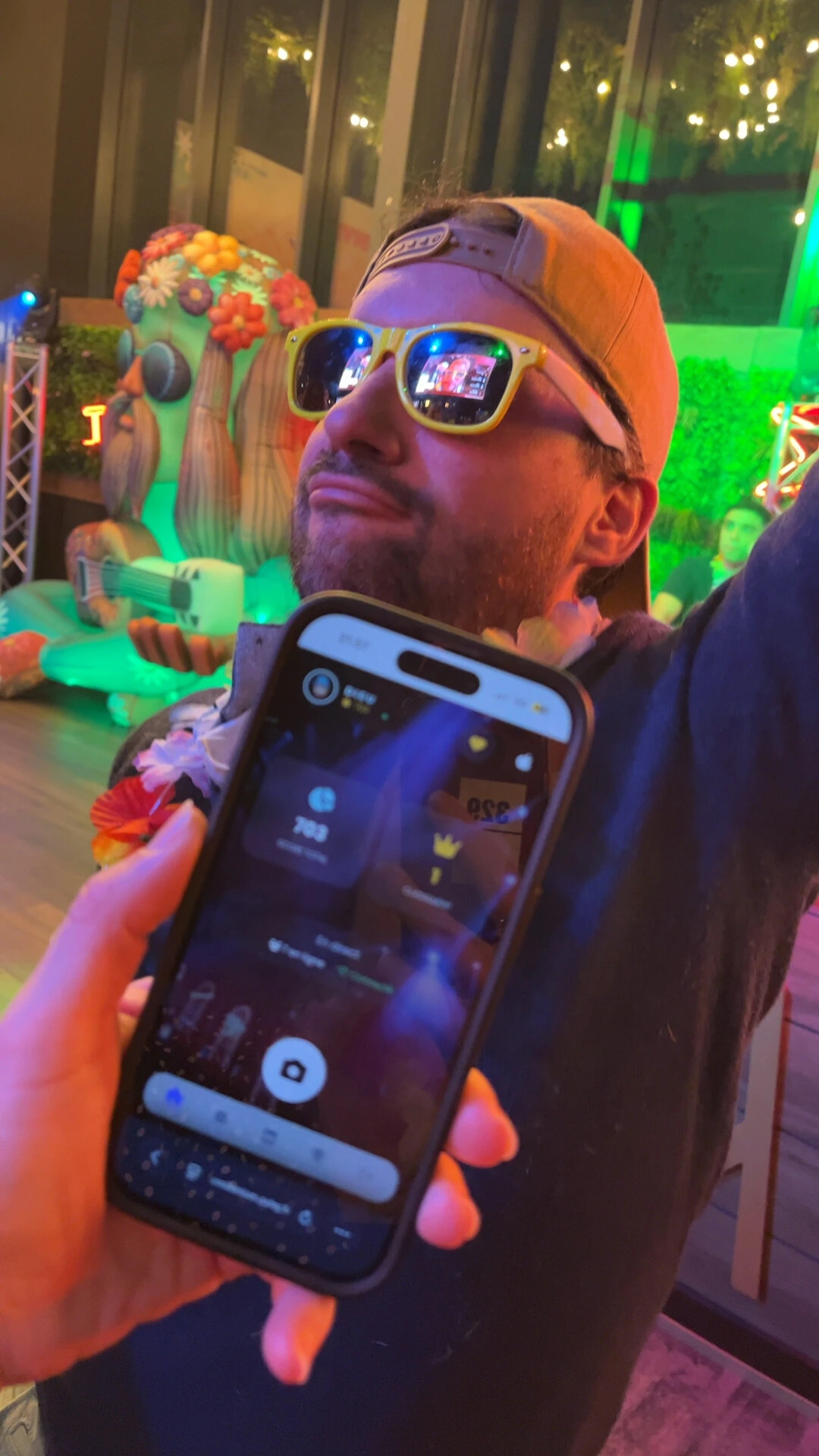
The playful pose and smartphone visible in the hero image capture the intended experience well. One person creates the moment, another uses a phone, and the colorful surroundings give the content a natural place in a shared event animation. PhotoSharing can connect those individual moments to the screen seen by the whole room.
Create a free PhotoSharing demo
Is PhotoSharing a suitable SelfieWall alternative?
It may be, depending on the journey you want for guests and organizers. SelfieWall publicly presents a virtual photo wall where pictures sent from guests’ mobile phones appear as a real-time slideshow on a projected screen. Its described experience includes a personal hashtag, moderation, photo deletion and downloading the pictures after the event.
PhotoSharing addresses the same central need—a participatory display powered by guests’ phones—but uses a QR Code or link as the entry point. After scanning, participants join from their browser and can send content to the live slideshow. The organizer can supervise the event through a dashboard, activate or deactivate modules, and validate, remove, rotate or moderate media before it is shown.
The decision is therefore not about declaring one format universally superior. It is about choosing the access method, level of interaction, moderation workflow and post-event gallery that fit your occasion.
From a playful smartphone moment to a shared live screen
A successful photo wall needs a short, understandable path. Guests should be able to concentrate on posing, reacting and enjoying the setting rather than learning a complicated tool. The smartphone in the foreground of the hero visual illustrates that essential bridge between a spontaneous portrait and a collective display.
- Display the QR Code: place it on the main screen, a printed A4 poster or other visible event material.
- Let guests participate: they scan the code and join the event from their mobile browser, without an app download.
- Bring the screen to life: submitted photos and, according to the configuration, videos, GIFs or messages can feed the live experience.
- Keep control: the organizer monitors submissions and can use moderation before public display when needed.
- Recover the memories: original HD files, the full gallery, an online album and a souvenir video can be available according to the plan and configuration.
This journey can suit a wedding, birthday, private party or professional event. It is also flexible enough for a casual, colorful setting where playful poses are likely to happen throughout the evening.
SelfieWall and PhotoSharing: compare the event journey
A useful comparison starts with practical questions rather than a long feature count. Public information about SelfieWall describes mobile photo submissions, an XXL projected slideshow, moderation and later downloads. PhotoSharing also focuses on live participation, while adding its own QR-based guest journey and organizer environment.
Decision criterionWhat to verifyPhotoSharing approach Guest accessCan people understand how to join immediately?Access by QR Code or link from a smartphone browser, with no application to install. Live slideshowCan submitted content animate a TV, projector or large screen?Photos and other configured media can appear in the live interactive slideshow. ModerationCan the organizer review content before it becomes public?The dashboard supports validation, deletion, rotation and moderation controls. GalleryHow will guests and organizers revisit the content?Media can be centralized in a gallery and dedicated online album, depending on the selected plan. PrivacyWho can access the event and the album?Access is configurable, and the album can be public or protected by a password. SimplicityHow many steps stand between scanning and sharing?The guest route is designed around the QR Code, mobile browser and direct submission.Before deciding, test the complete route on the actual devices you expect to use: organizer computer, guest phone and display screen. This is more informative than comparing isolated labels.
How to choose your live photo experience
Start with the guest experience
Consider how the invitation to participate will be presented. A QR Code can be placed on the slideshow, printed signage or table material. It gives guests a visible action: scan, join and share. If another access mechanism, such as a personal hashtag, is central to your plan, assess how clearly it will be explained in the room.
Decide when moderation is necessary
For a small private celebration, immediate display may create the fluid experience you want. For a corporate event, festival or screen visible to the public, reviewing content before publication may be more appropriate. PhotoSharing allows the organizer to keep control through moderation and access settings.
Plan what happens after the slideshow
The live wall creates energy during the event, but the gallery gives the content lasting value. Check whether you need HD originals, a ZIP download, a shareable album or a souvenir video. With PhotoSharing, availability depends on the plan and configuration.
Test the venue setup
A live system depends on a screen and a suitable network connection. Test the QR Code, upload route and slideshow before guests arrive. The PhotoSharing help center provides guidance on the dashboard, display, media, access and common network issues.
Practical tip: ask one person to scan the displayed code, submit a playful test portrait and confirm that it reaches the moderation area, slideshow and gallery as expected. This short rehearsal checks the entire journey rather than only the screen.Three PhotoSharing options worth considering
A dedicated online album
The online album can be personalized for a wedding, birthday or company. The organizer chooses whether it is public or protected by a password, and it can be shared by link or QR Code. Individual or complete album downloads may be available according to the formula and configuration.
A connected photobooth without a complex booth
A tablet placed on a support can become a self-service photo station. Guests can take individual pictures or create a four-pose animation, with filters and AI editing available according to the configuration. Validated results can then join the live slideshow. This complements the smartphone route and encourages the kind of expressive pose seen in the hero image without requiring a traditional enclosed booth.
French service and support
PhotoSharing is presented as a French service designed and hosted in northern France, with French-language support and a public service-status page. This can be a useful reassurance for organizers who want a clearly identified support channel before, during or after their event.
Which PhotoSharing plan fits your use?
The 2026 plans communicated on 10 July 2026 address three different patterns. Choose according to frequency and operational needs rather than the longest feature list.
- Private Event — EUR 20, one-time payment: intended for a wedding or birthday. It includes live photos, videos and GIFs, the large-screen slideshow and QR Code, interactions, chat and ranking, recovery of HD originals, an online album and a souvenir video.
- Standard — EUR 19.80 per month: intended for keeping an instance active and resetting it between recurring events. It includes unlimited guest submissions and connections, a complete dashboard, modules activated as needed, and resets while the instance remains active.
- Pro — EUR 39.60 per month: intended for brand identity, moderation and collaboration. It includes personalized logo, background and copyright, manual moderation and strengthened registration, 30-day statistics with AI, karaoke, DJ requests, advertising video, an SSL subdomain, collaborators and an extended album.
Some options depend on credits or configuration. For a one-off celebration, Private Event is the straightforward category to examine. Standard is structured for repeated use, while Pro addresses organizations that need stronger branding, moderation and team access.
You can first request a free demo at EUR 0 without providing a payment method. An isolated instance is generally delivered automatically within one to two minutes, allowing you to test the dashboard, QR Code, slideshow, guest uploads and settings before activation. See the PhotoSharing help center for the full test journey or review the PhotoSharing plans.
A practical setup checklist
In a colorful and active environment, guests will not stop for lengthy instructions. Keep the route visible and test each component:
- Prepare a TV, projector or large screen for the slideshow.
- Open the organizer dashboard on a computer.
- Display and print the event QR Code.
- Scan it with a smartphone and submit test media.
- Choose whether content requires validation before appearing.
- Check the gallery and recovery settings for after the event.
- Use a stable Wi-Fi connection or mobile network and test it in the room.
If the upload or display route does not behave as expected, check network stability, browser permissions and activated modules before guests arrive.
Frequently asked questions
Is PhotoSharing the same as SelfieWall?
No. They are separate services addressing a related use: collecting guest photos and displaying them during an event. SelfieWall publicly emphasizes a personal hashtag and projected photo wall, while PhotoSharing provides a QR Code or link, browser participation, a live slideshow, organizer controls and a gallery. The right choice depends on your preferred journey.
Do guests need to install an application?
No application download is required for PhotoSharing guests. They scan the QR Code or follow the event link and participate from their smartphone browser.
Can photos be moderated before appearing on screen?
Yes. The organizer can use the dashboard to validate, delete, rotate or moderate submissions before display. The appropriate settings will depend on whether the screen is private, professional or publicly visible.
Can I test PhotoSharing before choosing a plan?
Yes. A free demo costs EUR 0 and does not require a payment method. An isolated test instance is generally prepared in one to two minutes so that you can examine the real guest and organizer journey.
Try the complete journey before deciding
PhotoSharing can be a relevant alternative if you want smartphone participation to flow through a QR Code into a moderated live slideshow and reusable gallery. Test it as a guest, organizer and screen operator, then choose the plan that matches a single event, recurring use or branded professional requirements.
Launch the free EUR 0 demo without a payment method or contact PhotoSharing if you need help matching the setup to your event.
FAQ
Is PhotoSharing the same as SelfieWall?
No. They are separate services for a related event use. SelfieWall publicly emphasizes a personal hashtag and projected photo wall, while PhotoSharing uses QR Code or link access, browser participation, a live slideshow, organizer controls and a gallery.
Do guests need to install an application?
No. PhotoSharing guests scan a QR Code or follow a link and participate directly from their smartphone browser without downloading an application.
Can photos be moderated before appearing on screen?
Yes. The organizer can validate, delete, rotate or moderate submissions from the dashboard before they appear on the live display.
Can I test PhotoSharing before choosing a plan?
Yes. The free demo costs EUR 0, requires no payment method and generally provides an isolated test instance within one to two minutes.
Create an event
Un QR Code, des invités qui participent, et un diaporama qui donne vie à votre événement en direct.