PhotoSharing can be a MyPartyFeed alternative for hosts who want guests to contribute from a busy dance floor and help animate a large screen in real time. QR access, organizer controls and a lasting online album connect the live party experience with the memories collected afterward.
If you are looking for a MyPartyFeed alternative, you probably need more than a place where guests can leave photos. You need an experience that remains easy to join in a crowded, energetic room and useful after the music stops. PhotoSharing may fit that brief: guests scan a QR Code, share photos, videos, GIFs or messages from their browser, and approved contributions can animate a TV, projector or large screen in real time.
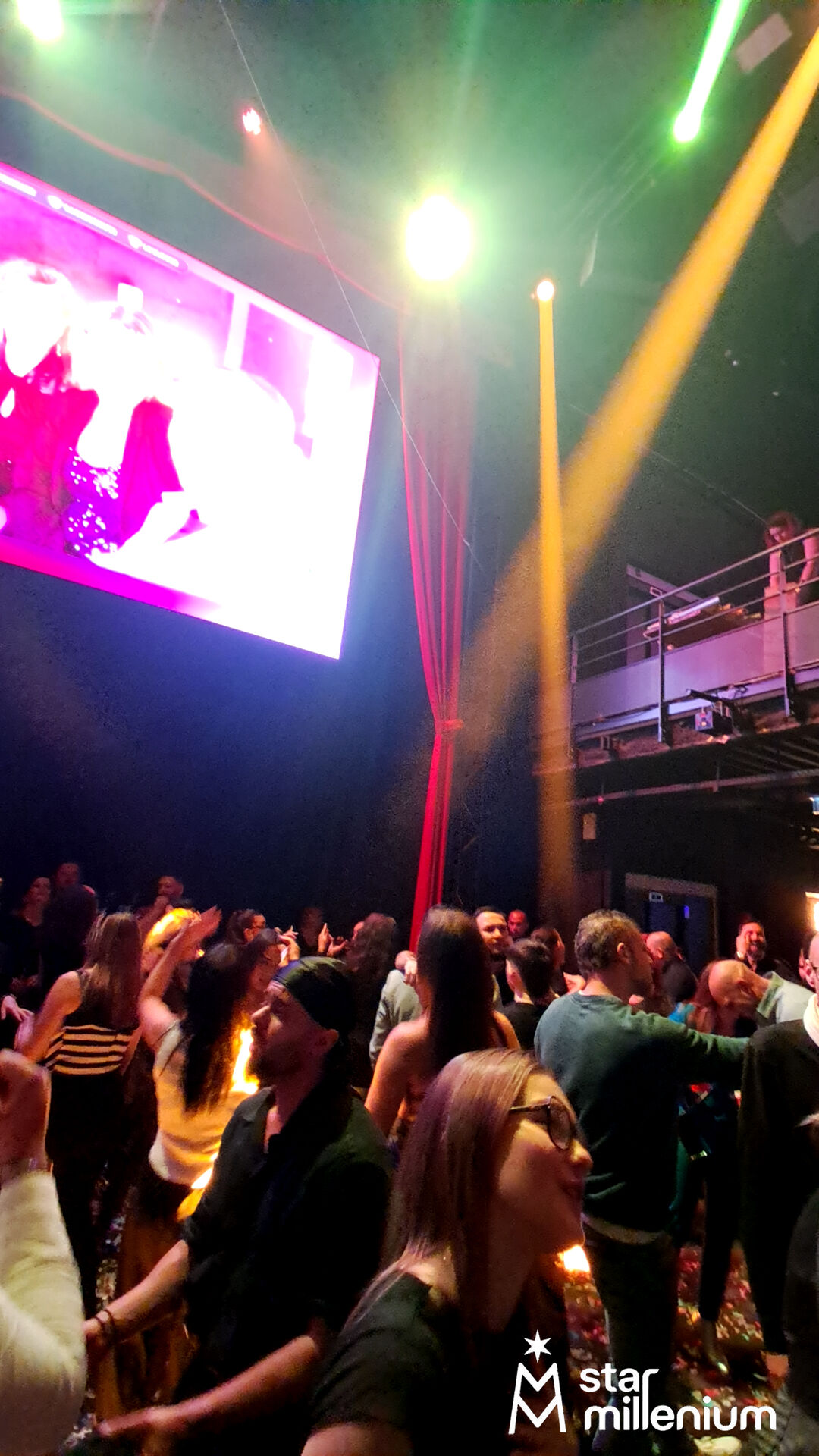
The hero scene captures the practical setting well: a dense indoor dance floor, colored stage lighting and a prominent bright screen. Its content cannot be identified, but the environment illustrates the central question behind this comparison: how can a screen become part of the celebration rather than remain passive?
What a live party feed must do in a busy room
At a lively party, guests do not want a complicated onboarding process. They need to understand what to do in seconds, using the phone already in their hand. The organizer, meanwhile, needs control over what reaches the public display.
- Fast access: a QR Code or link should open the guest experience without requiring an app download.
- Visible participation: contributions should be able to appear on a live slideshow, subject to the selected moderation settings.
- Organizer control: the host should be able to manage modules, validate or remove content and supervise the event.
- Useful memories: the content should remain centralized for retrieval and sharing after the event.
This flow is relevant to weddings, birthdays, private parties, DJ nights and professional events. The right solution depends on whether your priority is straightforward collection, screen-based interaction, privacy, recurring use or brand control.
MyPartyFeed and PhotoSharing: compare the experience
MyPartyFeed publicly presents a party photo feed with QR Code access, photo and video uploads, a real-time slideshow, likes, comments and organizer controls. PhotoSharing covers the same broad event journey—guests contribute from their phones and content can reach a shared screen—but places additional emphasis on configurable live animation and post-event access.
Decision criterionMyPartyFeed public positioningPhotoSharing approachGuest accessQR Code or event link, without an app for guestsQR Code or link, opened in the mobile browser without an app downloadShared mediaPhotos and videosPhotos, videos, GIFs and messages according to the configurationLive displayReal-time slideshowLive slideshow with optional reactions, comments, chat, Wizz and visual animationsOrganizer controlsOrganizer control and private-sharing options are highlightedDashboard, module controls, manual validation, moderation and media managementAfter the eventCentralized event contentDedicated online gallery, album and original media retrieval according to the plan and configurationThis is not a ranking. Both approaches address collaborative event sharing. The useful distinction is the experience you want to create in the room and the level of control you need before, during and after the party.
How to choose between MyPartyFeed and PhotoSharing
1. Decide what role the screen should play
If the screen is mainly there to display a stream of guest photos and videos, focus on upload simplicity and slideshow clarity. If it should become a participative feature, review the interactions and modules available. PhotoSharing can add chat, reactions, points, rankings and party modules depending on the options activated.
2. Test the complete guest journey
Do not assess a platform only from its organizer dashboard. Scan the QR Code with a guest phone, join the event, send a photo and check how clearly the interface confirms the upload. PhotoSharing lets guests join from their browser without downloading an application. Access can also be configured according to the organizer’s settings.
3. Match moderation to the audience
A slideshow among close friends does not create the same requirements as a public screen in a club, company venue or festival. Check whether you can validate, delete, rotate or moderate submissions before they are displayed. PhotoSharing provides organizer controls and manual or intelligent moderation options according to the configuration.
4. Think beyond the live slideshow
Ask how guests will revisit the event afterward. PhotoSharing can provide a dedicated online album that the organizer makes public or protects with a password. It can be shared by link or QR Code, with individual or complete-album downloads depending on the formula and configuration.
5. Separate one-off and recurring requirements
A wedding or birthday may need one private event instance. A DJ, venue or event organizer may need to keep an instance active and reset it between events. A company may also require visual identity, stronger moderation and collaborator access. These use cases lead to different PhotoSharing plans rather than a single default recommendation.
Practical test: use two phones and one display before deciding. Send several types of media, activate moderation, open the slideshow full screen and inspect the guest album. A PhotoSharing demo costs 0 EUR, requires no payment method and delivers an isolated test instance automatically, generally within 1 to 2 minutes.
From QR Code to live screen in five steps
- Prepare the event instance. The organizer opens the PhotoSharing dashboard, selects the required modules and configures access and moderation.
- Display the QR Code. It can be shown on the event screen or placed on the downloadable A4 poster so that guests can scan it with their phones.
- Let guests contribute. Participants join through their browser and send a photo from the camera or gallery. Videos, GIFs and messages are available according to the setup.
- Control the public feed. The organizer can supervise incoming content and validate it before display when moderation is enabled.
- Recover the memories. After the event, the organizer can manage the gallery and retrieve the available originals, album or souvenir video according to the selected plan and configuration.
The result is a connected journey: show the code, collect guest contributions, animate the display and keep the content together afterward. Guests can participate without paying to join the slideshow.
Designing for a crowded dance floor
A busy room like the one visible in the hero image creates specific UX constraints. Lighting changes, guests move constantly and the venue network may be under pressure. The participation instructions therefore need to be short and visible.
- Keep the slideshow in a dedicated browser tab and use full-screen mode.
- Provide the QR Code on the large display and on the prepared A4 material where appropriate.
- Test a stable Wi-Fi connection and keep 4G or 5G as an alternative if the venue network becomes saturated.
- Send sample photos and a video before guests arrive to confirm permissions, upload speed and moderation behavior.
- Choose in advance whether approved content should appear directly or wait for organizer validation.
This preparation keeps the screen connected to the energy of the room without forcing the organizer to improvise technical settings during the event.
Three PhotoSharing options for a more participative party
A configurable online album
The dedicated album extends the experience beyond the live feed. The organizer controls its visibility, can protect it with a password and can share it by link or QR Code. This is useful when the objective includes both immediate animation and an organized collection of memories.
A connected photobooth using a tablet
A tablet and support can become a self-service photo point without a complex booth installation. Guests can take individual photos or create a four-pose animation. Approved images can then join the slideshow and gallery, depending on the configuration.
Music and party interaction modules
For DJ nights, private parties, bars or clubs, PhotoSharing can add a collaborative jukebox, DJ requests, karaoke or a Blind Test. These modules are optional, so the organizer can keep a simple photo feed or build a broader screen-based animation.
Plans for one event or repeat use
The PhotoSharing plans communicated for 2026 distinguish one-off private events from recurring and branded use. Some options may depend on credits or configuration.
- Private Event — 20 EUR, one-time payment: intended for a wedding or birthday, with live photos, videos and GIFs, QR Code access, a large-screen slideshow, interactions, chat and ranking. Original HD media, the online album and a souvenir video are included according to the stated formula and configuration.
- Standard — 19,80 EUR per month: designed for keeping an instance active and resetting it between several events. It includes unlimited guest connections and submissions, a complete dashboard and modules that can be activated as needed.
- Pro — 39,60 EUR per month: intended for visual identity, moderation and collaborative management. It includes logo, background and copyright personalization, manual moderation, enhanced registration, 30-day statistics with AI, selected music modules, advertising video, an SSL subdomain, collaborators and an extended album.
Review the current conditions on the PhotoSharing plans page. For festivals, public displays or infrastructure-specific requirements, use the contact page to discuss the setup rather than assuming a standard configuration will fit.
A practical launch checklist
- Create the demo and wait for the access link sent by email.
- Open the dashboard and locate the slideshow controls.
- Customize and download the QR Code material.
- Test guest access, media uploads, gallery visibility and moderation.
- Confirm the venue network and full-screen display before the event.
The PhotoSharing help center explains demo delivery, QR Code preparation, uploads, live display, albums and common network issues.
Try the experience before committing
MyPartyFeed may remain suitable if its QR-based feed, slideshow and interaction model match your event. If you want to assess PhotoSharing as an alternative, the most reliable approach is to reproduce your real setup with a phone and screen. Request the free 0 EUR demo without a payment method, then test the guest and organizer journeys at your own pace.
Create a free PhotoSharing demo
Frequently asked questions
Is PhotoSharing a direct replacement for MyPartyFeed?
It can be an alternative, depending on your priorities. Both services publicly address QR-based guest uploads and a live event slideshow. PhotoSharing is especially relevant to evaluate when you also want configurable screen interactions, organizer moderation, an online album or optional party modules.
Do guests need to install an application?
No. Guests scan the QR Code or open the event link and participate from their smartphone browser. Their access route can vary according to the settings chosen by the organizer.
Can photos be moderated before they reach the screen?
Yes. PhotoSharing lets the organizer enable moderation, validate or remove media and control the activated modules. The appropriate settings depend on whether the screen is used for a private party, company event or public venue.
Which PhotoSharing plan should I consider?
Private Event at 20 EUR as a one-time payment is intended for a wedding or birthday. Standard at 19,80 EUR per month suits recurring events and instance resets. Pro at 39,60 EUR per month is intended for branding, stronger moderation and collaborator access. Features may depend on the formula, credits and configuration.
FAQ
Is PhotoSharing a direct replacement for MyPartyFeed?
PhotoSharing can be a MyPartyFeed alternative depending on your needs. Both address QR-based guest uploads and live slideshows, while PhotoSharing also offers configurable screen interactions, moderation, albums and optional party modules.
Do guests need to install an application?
No. Guests scan a QR Code or open a link and participate from their smartphone browser, without downloading an app.
Can an organizer moderate photos before display?
Yes. PhotoSharing provides organizer controls for validating, deleting, rotating and moderating content before it appears on the public screen when moderation is enabled.
Which PhotoSharing plan is suitable for my event?
Private Event costs 20 EUR as a one-time payment for a wedding or birthday. Standard costs 19,80 EUR per month for recurring events, while Pro costs 39,60 EUR per month for branding, moderation and collaboration. Some features depend on the formula, credits and configuration.
Create an event
Un QR Code, des invités qui participent, et un diaporama qui donne vie à votre événement en direct.