Discover how PhotoSharing.fr transforms corporate events into engaging and interactive experiences. Share photos, videos, GIFs, and messages live using QR Codes, without any app downloads.
Why Choose PhotoSharing.fr for Your Corporate Events?
PhotoSharing.fr offers a seamless solution to make your corporate meetings, conferences, and events more engaging and memorable. With its intuitive platform, attendees can instantly share photos, videos, GIFs, and messages live using a simple QR Code scan, no app installation required.
This interactivity creates a dynamic atmosphere, enhancing team collaboration and participation while providing a unique visual summary of your event.
How It Works: Simple yet Powerful Interaction
Guests use their smartphones to scan a QR Code displayed prominently on a screen. This opens a lightweight web interface where they can send their media and messages, which then appear live on a large shared screen — turning passive attendees into active participants.
- No App Needed: No downloads or complicated setups.
- Instant Photo & Video Sharing: Upload in real-time directly from the browser.
- Live Slideshow: Host a dynamic and continuously updated visual slideshow on a projector, TV, or giant screen.
- Interactive Features: Chat, reactions, points, and rankings boost engagement.
Features to Elevate Your Corporate Event
Interactive Diaporama and Animations
PhotoSharing.fr transforms your screen into an interactive hub with live slideshows, chat, and simultaneous media sharing. Features include points systems, challenges, and leaderboards to motivate participation.
Tablet Photobooth Mode
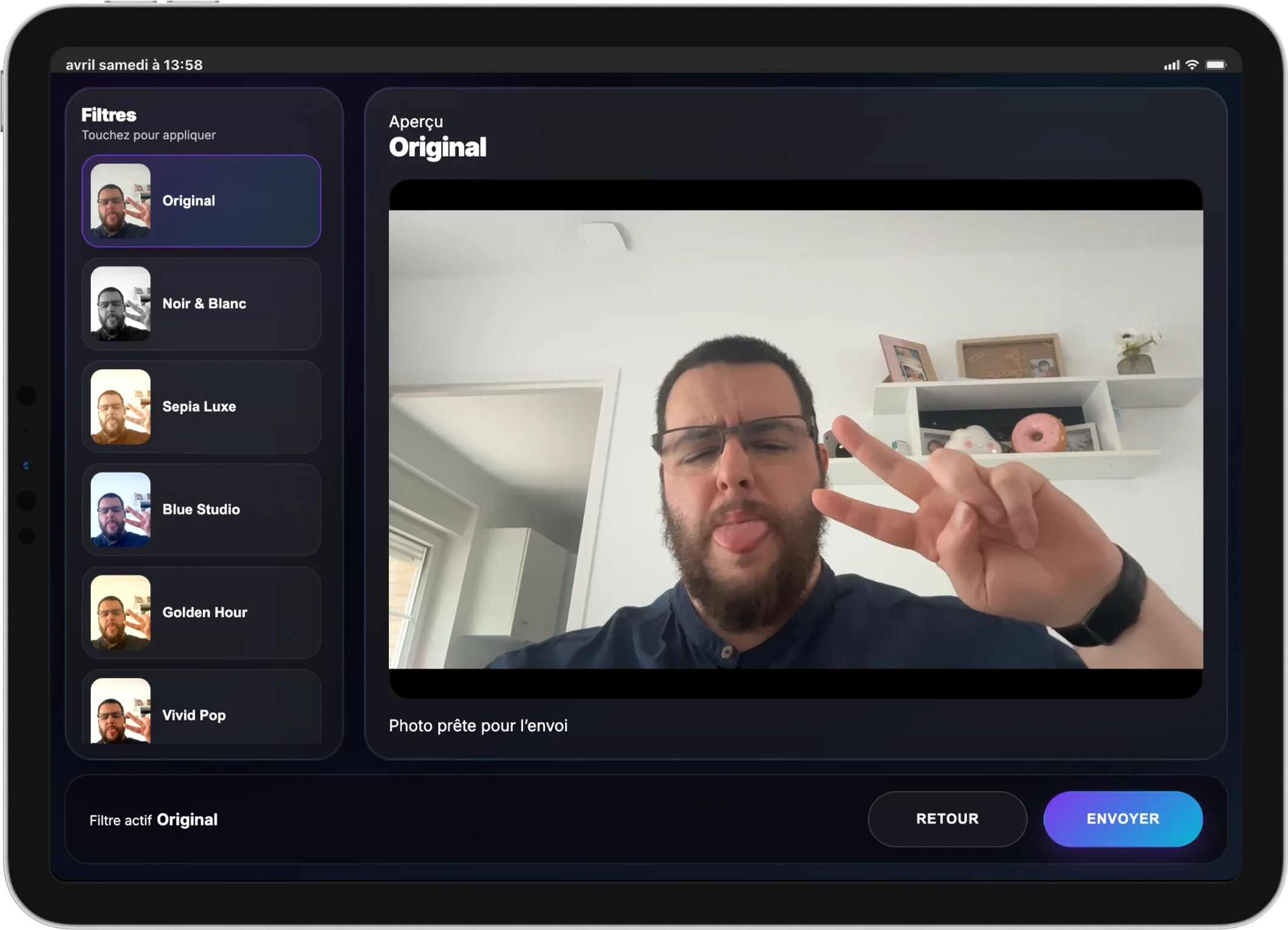
Convert any tablet into a standalone photobooth to capture fun moments. The photobooth offers multiple shots and creates animations similar to boomerangs, enriched by filters and AI enhancements where enabled.
Control at Your Fingertips
Organizers have a full-featured dashboard on their computer to moderate content, control what’s displayed, and activate or deactivate features like the jukebox or karaoke modules instantly.
Personalization for Your Brand
With the Pro license, customize logos, background images, app name, and display advertisements to fit your company’s brand identity perfectly.
Step-by-Step Guide to Setup Your Corporate Event Sharing
- Create your PhotoSharing instance: Sign up and configure your event.
- Customize your event branding: Add logos, colors, backgrounds.
- Prepare your display: Connect your TV or projector to the event slideshow URL.
- Share the QR Code: Display prominently so attendees can join easily.
- Engage your attendees: Encourage them to upload photos, GIFs, and videos throughout the event.
- Moderate and manage: Use the dashboard to approve content and activate interactive modules.
Tips for Maximizing Attendee Engagement
Frequently Asked Questions
Can participants join without downloading an app?
Yes. Attendees only need to scan a QR Code using their smartphone camera or scan app, then access the web interface via their browser to participate.
Is PhotoSharing.fr suitable for large conferences?
Absolutely. The platform supports unlimited photo uploads and connections, making it scalable for events of all sizes.
How secure is the content shared during the event?
Organizers have full moderation controls to approve or reject uploads before they appear live. Data is also managed in compliance with GDPR regulations.
Can I keep the photos after the event?
Yes. All photos are stored in a gallery accessible during and after the event, and you can download the full album with a click.
Get Started Today
Transform your next corporate event into a vibrant, interactive experience that your team will remember. Try PhotoSharing.fr now for free with no commitment, and engage your attendees like never before.
FAQ
Do attendees need to download an app to participate?
No, attendees simply scan a QR Code and use their smartphone browser to share photos, videos, GIFs, and messages—no app installation required.
Can the organizer moderate content before it appears?
Yes, the dashboard provides manual and intelligent moderation options allowing organizers to approve or reject content before live display.
Is it possible to customize the experience to match my corporate branding?
With the Pro license, you can personalize logos, backgrounds, app naming, and display advertisements to align with your company’s visual identity.
How can photos and videos be accessed after the event?
All media shared during the event are centralized in an online gallery accessible afterwards, with options to download the entire album easily.
Create an event
Un QR Code, des invités qui participent, et un diaporama qui donne vie à votre événement en direct.