At a lively indoor party, phones and a large screen can turn guest-made content into part of the shared atmosphere. This guide compares the practical criteria behind apps like MyPartyFeed and explains when PhotoSharing may suit your event.
Short answer: if you are researching apps like MyPartyFeed for events, compare the guest journey before comparing long feature lists. The essentials are QR-code access, browser-based uploads, a reliable live slideshow, organizer controls, privacy settings and a useful gallery after the event. MyPartyFeed publicly presents a QR-based photo and video feed with a real-time slideshow, likes, comments and organizer control. PhotoSharing can be another option when you want to combine that participatory screen experience with configurable moderation, interactive modules and a reusable event album.
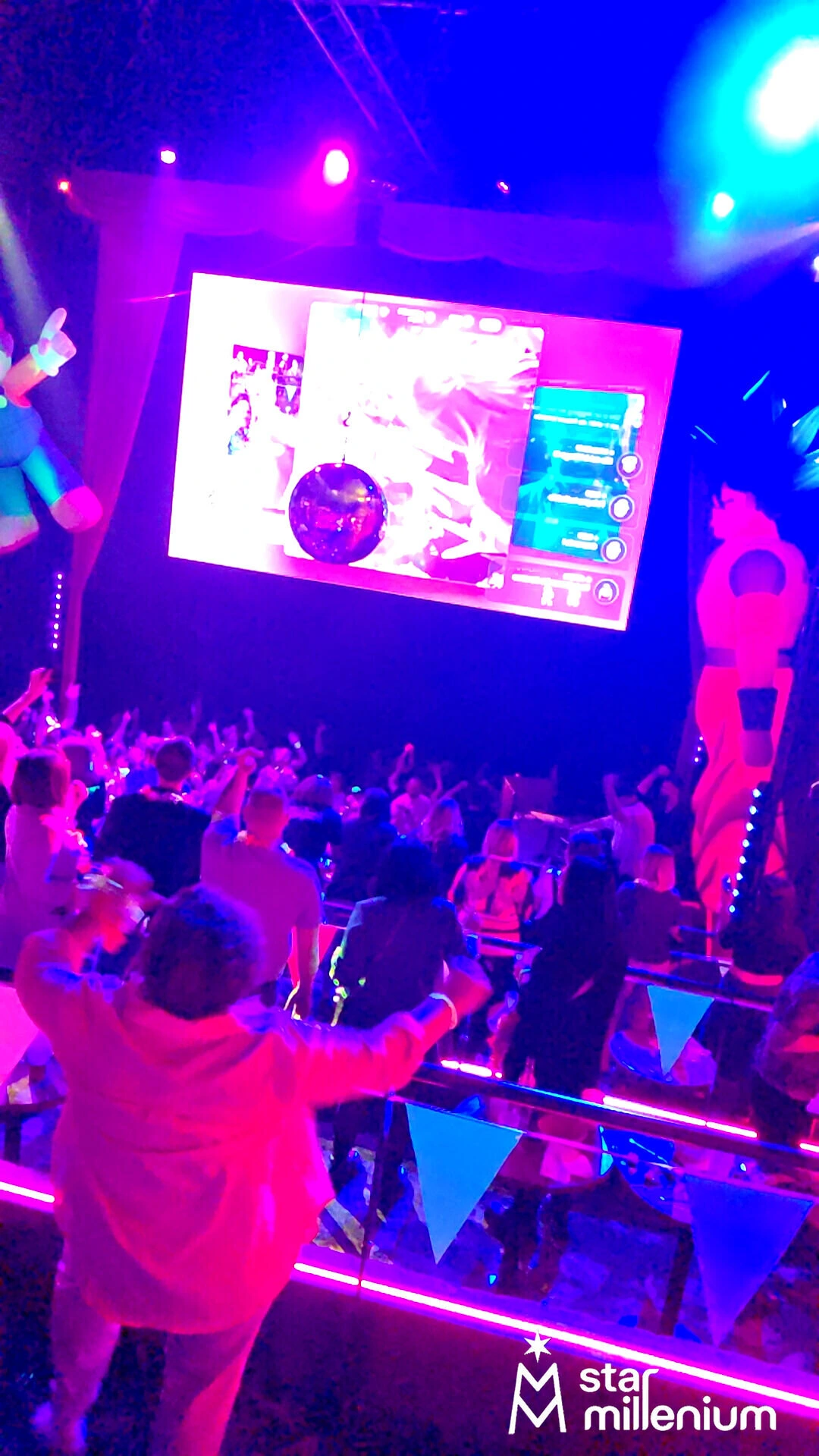
A crowded dance floor, phones in guests’ hands and a large suspended screen capture the setting particularly well. The image does not identify a specific platform, but it illustrates the central challenge: participation must remain effortless while the room is busy, energetic and focused on the celebration rather than on technical instructions.
Why compare MyPartyFeed with other event photo feeds?
MyPartyFeed belongs to a category of services designed to collect guest content during an event and bring it together in a shared feed. Based on its public presentation, guests can upload photos and videos through a QR code, while organizers can use a real-time slideshow and manage participation. Likes, comments and privacy controls are also publicly described.
That approach may already match your event. Looking at alternatives is useful when you need to determine how the experience will work in your actual venue, what happens before content reaches the screen, and how the collected memories will be used afterwards.
Decision pointMyPartyFeed’s public approachPhotoSharing approach Guest accessQR code or shared link, without an app for guestsQR code or link, directly through a mobile browser Guest contentPhotos and videosPhotos, videos, GIFs and messages, according to the configuration Live displayReal-time slideshowInteractive live slideshow for a TV, projector or large screen InteractionLikes and commentsReactions, comments, chat, Wizz, points and selected animations Organizer controlOrganizer controls are publicly presentedDashboard, module settings and manual or intelligent moderationThis is not a ranking. Product configurations can evolve, so test the exact workflow that matters to you rather than choosing from a checklist alone.
How to choose
Use these seven criteria to assess any live event photo-sharing service consistently.
1. Friction at the moment of participation
Guests should be able to scan, open and contribute in a few clear steps. Requiring an unfamiliar download or a lengthy registration can interrupt the moment. PhotoSharing lets guests enter through a QR code or link in their browser, with no application to install.
2. The role of the large screen
Decide whether the screen is simply showing memories or actively supporting the atmosphere. A wedding may call for an elegant slideshow, while a dance party may benefit from reactions, points, challenges or music-related modules. Use only the interactions that suit the tone of the event.
3. Moderation before public display
A private album and a public screen do not carry the same risk. For a company event, festival, club or room with mixed audiences, look for validation and deletion controls. PhotoSharing allows the organizer to moderate, rotate, approve or remove content before it is shown.
4. Privacy after the event
Ask who can open the gallery and who can download its contents. PhotoSharing’s dedicated online album can be public or protected by a password and shared by link or QR code. The organizer chooses its visibility.
5. Venue connectivity
A full room can place pressure on Wi-Fi. Test uploads from the exact guest devices and network you expect to use. Keep the slideshow in a dedicated full-screen browser tab, and have mobile data available as a fallback when possible.
6. Organizer workload
The right service should reduce chasing, sorting and transferring files. Check whether one dashboard can manage access, moderation, the screen, modules and exports. Also test the recovery process before trusting it with an important event.
7. One event or recurring use
A one-off birthday has different needs from a DJ, venue or agency running regular events. Confirm whether you need a single activation, a resettable instance or branded controls for several collaborators.
Practical tip
Run a rehearsal with three roles: one person uploads from a phone, one watches the public screen and one uses the organizer dashboard. This quickly reveals unclear instructions, network delays and moderation settings that need adjustment.
A four-step experience for guests and organizers
- Display the QR code: place it at the entrance, on tables and on the event screen so guests do not have to ask for a link.
- Let guests contribute: they open the mobile page and send a photo, video, GIF or message according to the enabled modules.
- Bring the screen to life: approved content joins the live slideshow. Reactions, chat, points or animations can be activated when appropriate.
- Recover the memories: the organizer manages the gallery and can retrieve the available media, album and souvenir outputs according to the plan and configuration.
This journey connects the phones in the crowd with the shared screen without asking guests to step away from the event for a complicated setup.
Designing the experience for a crowded party
In a dense, neon-lit room, most guests will notice the screen from a distance and scan the code quickly between conversations or dances. Use a large QR code, short instructions and strong contrast. Avoid putting several competing actions on the first screen.
Moderation should also match the environment. Manual validation can be valuable when the screen is highly visible, but the organizer needs someone available to supervise it. Test the display resolution, browser full-screen mode and Wi-Fi before guests arrive.
For a party, DJ set, bar or club context, PhotoSharing can also activate a collaborative jukebox, DJ requests, karaoke or Blind Test modules. These are optional: according to the plan and configuration, you can keep the experience focused solely on photo sharing.
When PhotoSharing may be the right option
PhotoSharing is relevant when your goal extends beyond collecting files. It turns a TV, projector or large screen into a participatory display while the organizer retains control through a dashboard. Guests join without downloading an application.
Three capabilities are especially worth testing:
- A configurable online album: the organizer can choose public or password-protected access and allow individual or complete-album downloads.
- A connected photobooth without a complex booth: a tablet and stand can provide self-service photos, four-pose animations and optional filters, with approved images sent to the slideshow.
- Music and party interaction: jukebox, DJ requests, karaoke and Blind Test modules can support energetic evening formats when enabled.
You can request a free demo at EUR 0 without a payment method. An isolated instance is generally delivered automatically within one to two minutes, allowing you to test the dashboard, QR code, guest uploads, gallery and slideshow. For detailed setup guidance, visit the PhotoSharing help centre.
Which PhotoSharing plan fits the event?
- Private Event — EUR 20, one-time payment: intended for a single wedding or birthday. It includes live photos, videos and GIFs, a large-screen slideshow, QR code, interactions, chat and ranking, as well as recovery of HD originals, an online album and souvenir video.
- Standard — EUR 19.80 per month: designed for recurring events. The instance remains active and can be reset between events, with unlimited guest connections and uploads, a complete dashboard and modules that can be enabled as needed.
- Pro — EUR 39.60 per month: suited to branding, moderation and collaborative management. It adds options such as a custom logo, background and copyright, reinforced registration, manual moderation, collaborators and extended album capabilities.
Some functions depend on the selected plan, credits and configuration. Review the current details on the PhotoSharing plans page before activating an instance.
Frequently asked questions
Is PhotoSharing the same as MyPartyFeed?
No. They are separate event photo-sharing services. Their publicly described experiences overlap around QR access, guest uploads and a live slideshow, but their modules and organizer workflows differ. Test both against your own screen, moderation and gallery requirements.
Do guests need to install an application?
No application is required for PhotoSharing guests. They scan the event QR code or open its link and participate through a mobile browser.
Can photos be checked before appearing on the screen?
Yes. PhotoSharing provides organizer controls for validation and moderation before public display. This is useful for corporate events, public screens and any occasion where the organizer wants tighter control.
How should I choose between Private Event, Standard and Pro?
Choose Private Event for one wedding or birthday, Standard for recurring events and resets, and Pro when branded presentation, stronger moderation and collaborator access are priorities. Check plan-dependent options before activation.
Turn the screen into part of the event
The most suitable alternative is the one guests understand immediately and organizers can control confidently. If you want to assess PhotoSharing without committing, start with the EUR 0 demo, upload a few test photos and watch the complete phone-to-screen journey. For a specific venue or public-event requirement, contact PhotoSharing for guidance without sales pressure.
FAQ
Is PhotoSharing the same as MyPartyFeed?
No. They are separate event photo-sharing services. Their publicly described experiences overlap around QR access, guest uploads and a live slideshow, but their modules and organizer workflows differ.
Do guests need to install an application?
No application is required for PhotoSharing guests. They scan the event QR code or open its link and participate through a mobile browser.
Can photos be checked before appearing on the screen?
Yes. PhotoSharing provides organizer controls for validation and moderation before public display, which is useful for corporate events and other visible or public screens.
How should I choose between Private Event, Standard and Pro?
Choose Private Event at EUR 20 as a one-time payment for one wedding or birthday, Standard at EUR 19.80 per month for recurring events, and Pro at EUR 39.60 per month when branding, moderation and collaboration are priorities.
Create an event
Un QR Code, des invités qui participent, et un diaporama qui donne vie à votre événement en direct.