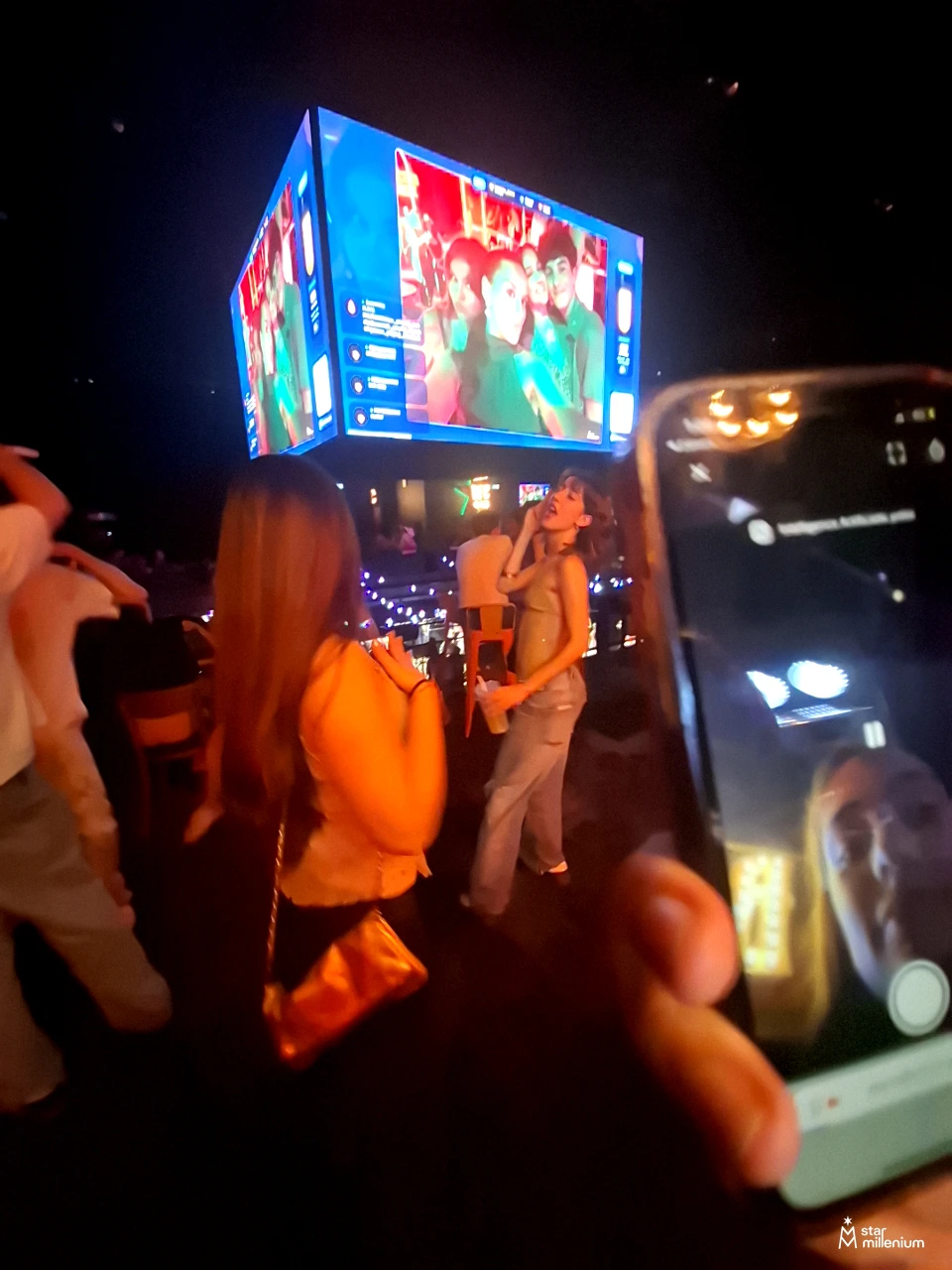
A lively party feed connects the smartphones in the room with the images appearing on a shared screen. If you are considering an alternative to MyPartyFeed, PhotoSharing offers a QR-based experience with live media, organizer controls and interactive party modules.
Looking for an alternative to MyPartyFeed usually means you want more than a place to collect pictures. You want guests to scan a QR Code, contribute from their phones and see the room react as new content appears on a large screen. PhotoSharing can be an option to consider when your priority is a participatory live display, controlled by the organizer and accessible without an app download.
The principle fits naturally into a lively indoor party: several people capture a person who appears to be singing or speaking, while a suspended screen displays images above the audience. The exact event may be uncertain, but the experience is clear—the smartphones and the shared screen become part of the entertainment.
A party feed should connect the phone and the room
Guests already take photos and short videos during a party. The practical challenge is bringing those scattered moments together without asking everyone to join a messaging group or install another application. A useful event feed creates a simple loop:
- the organizer displays a QR Code or shares a link;
- guests join from their mobile browser and send media;
- approved content appears in the live slideshow and remains available in a gallery.
The screen matters because it gives contributors immediate feedback. A spontaneous photo stops being an isolated file and becomes something the room can enjoy together. For the organizer, the same process centralizes the memories instead of leaving them across dozens of phones.
PhotoSharing as an alternative to MyPartyFeed
MyPartyFeed’s public presentation describes QR-based photo and video sharing, a real-time slideshow, likes, comments and organizer control. These are relevant foundations for a party photo feed. PhotoSharing addresses the same general event need through its own workflow: guests scan a QR Code, participate without downloading an app and can send photos, videos, GIFs or messages according to the active configuration.
PhotoSharing also places the shared screen at the center of the room. The organizer can run a live slideshow, manage the gallery and activate or deactivate modules from a dashboard. Chat, reactions, comments, points and rankings can add participation when they suit the event. Moderation and validation tools help determine what reaches a public display.
This is a comparison of use cases, not a claim that the two services are identical. The right decision depends on the guest journey, the level of control required and what you want to do with the content after the event.
How to choose between MyPartyFeed and PhotoSharing
Start with the experience you want to deliver rather than a long feature checklist. The following criteria will help you evaluate either platform in a realistic event setup.
- Guest access: check whether people can participate quickly with a QR Code or link. PhotoSharing opens in the mobile browser, so guests do not need to download an application.
- Live display: decide whether the screen is only a slideshow or an active part of the entertainment. PhotoSharing can display submitted media and support interactive elements according to the enabled modules.
- Organizer control: consider whether every upload can appear immediately or should first be reviewed. PhotoSharing provides dashboard controls, manual moderation, validation, deletion, rotation and module management according to the formula and configuration.
- Privacy: identify who should access the event and the final album. PhotoSharing access can be configured, while its dedicated online album may be public or protected by a password. The organizer chooses its visibility.
- After-event access: confirm how you will retrieve the originals and share the complete gallery. HD originals, a complete gallery, an online album and a souvenir video can be recovered according to the selected formula and configuration.
- One event or recurring use: a private celebration does not require the same setup as regular club nights or company events. Choose a plan that reflects how often the instance will be used and whether branding, collaboration or advanced moderation matters.
From smartphone capture to a live screen
PhotoSharing follows a short sequence designed to make the room participate while leaving the organizer in control.
- Prepare the event instance. Open the dashboard, select the useful modules and launch the slideshow on a TV, projector or large display.
- Display the QR Code. Guests scan it with their smartphones and enter the event through their browsers.
- Collect contributions. Participants take a new photo or choose existing media. Photos, videos, GIFs and messages are available according to the configuration.
- Control the public display. The organizer can validate or moderate content before it reaches the screen when this setting is required.
- Recover the memories. Contributions remain centralized for gallery management and later retrieval according to the formula.
This phone-to-screen rhythm is especially relevant in an energetic room where people are already filming a performance, a speech or a spontaneous musical moment. The display reflects the audience’s point of view and gives them a reason to keep participating.
Three PhotoSharing capabilities to consider
1. Musical party interactions
For a DJ night or a party with musical entertainment, PhotoSharing can add a collaborative jukebox, DJ requests, karaoke and Blind Test modules. These tools are particularly coherent when the screen is already part of the atmosphere. Availability depends on the formula and configuration.
2. A connected photobooth using a tablet
A tablet placed on a support can become a self-service photo station without a complex booth installation. Guests can take individual pictures or create a four-pose animation, apply available filters and send approved results to the slideshow. The same content can then join the event gallery.
3. A dedicated online album
The online album extends the experience after the screen is turned off. It can be personalized for a private celebration or an organization, shared by link or QR Code, and made public or password-protected. Depending on the formula and configuration, visitors can download individual files or the complete album.
Which PhotoSharing formula fits your event?
PhotoSharing’s 2026 plans distinguish between a single private celebration, recurring use and a branded professional setup. Conditional functions remain subject to the selected formula and configuration.
Private Event: 20 EUR, one-time payment
This plan is intended for a wedding or birthday held as a one-off event. It includes live photos, videos and GIFs, the large-screen slideshow and QR Code, interactions, chat and ranking, plus recovery of HD originals, an online album and a souvenir video.
Standard: 19.80 EUR per month
Standard is designed for keeping an instance active and resetting it between multiple events. It includes unlimited guest submissions and connections, a complete dashboard, modules that can be activated as needed and instance resets while the subscription remains active.
Pro: 39.60 EUR per month
Pro is intended for organizers who need branding, moderation and collaboration. It includes custom logo, background and copyright, manual moderation, reinforced registration, 30-day statistics with AI, karaoke, DJ requests, advertising video, an SSL subdomain, collaborators and an extended album.
You can review the PhotoSharing subscription options before selecting a setup.
Test the real conditions before your event
A free PhotoSharing demo costs 0 EUR and requires no payment method. An isolated instance is generally delivered automatically within 1 to 2 minutes, giving you access to the administration area, QR Code, slideshow, uploads and guest experience.
During the test, use the network available at the venue if possible. Keep the slideshow in a dedicated full-screen tab, check camera permissions on the phones and try both the QR Code and the guest link. Large videos can take longer on a congested connection, so a realistic test helps you choose suitable media settings.
For detailed setup and troubleshooting guidance, visit the PhotoSharing help center. French support is also available if you need assistance before, during or after the event.
Which approach fits your brief?
MyPartyFeed may suit you if its publicly described combination of QR uploads, real-time slideshow, likes, comments and organizer controls matches your preferred workflow. PhotoSharing may be an appropriate alternative if you want to test a browser-based guest journey while exploring a live display, configurable moderation, an online album and optional party modules.
For a one-off celebration, focus on simplicity and memory recovery. For recurring nights, prioritize reset and dashboard management. For an organization or public-facing event, pay closer attention to branding, controlled publication, access settings and collaboration.
Frequently asked questions
Is PhotoSharing a direct replacement for MyPartyFeed?
They are separate services with overlapping event photo-sharing use cases. PhotoSharing can be an alternative depending on whether its QR access, browser-based participation, live display, moderation, gallery and optional animation modules fit your event.
Do guests need to install an app?
No. Guests can scan the event QR Code or open its link and participate from a smartphone browser. The organizer can configure the guest journey and access settings.
Can the organizer approve photos before they appear?
Yes. PhotoSharing provides organizer controls and moderation options. Manual validation before public display is available according to the selected formula and configuration.
Can the final album remain private?
Yes. The dedicated online album can be public or protected by a password, and the organizer controls its visibility. Sharing and download options depend on the formula and configuration.
Try the phone-to-screen experience yourself
The most useful comparison is a real test. Create a 0 EUR demo, scan the QR Code from a phone and watch a contribution move through the dashboard to the display. No payment method is required.
Create a free PhotoSharing demo or contact PhotoSharing to discuss your event setup without pressure.
FAQ
Is PhotoSharing a direct replacement for MyPartyFeed?
They are separate services with overlapping event photo-sharing uses. PhotoSharing can be an alternative if its QR access, app-free guest journey, live slideshow, moderation, gallery and optional animation modules match your needs.
Do guests need to install an app to use PhotoSharing?
No. Guests scan a QR Code or open a link and participate from their smartphone browser. Access and the guest journey can be configured by the organizer.
Can the organizer approve photos before they appear on screen?
Yes. PhotoSharing includes organizer controls and moderation options. Manual validation before public display is available according to the selected formula and configuration.
Can the PhotoSharing event album remain private?
Yes. The dedicated online album can be public or protected by a password, with visibility controlled by the organizer. Sharing and download options depend on the formula and configuration.
Create an event
Un QR Code, des invités qui participent, et un diaporama qui donne vie à votre événement en direct.